Installation
For information about general video installation and maintenance guidelines, see Video Installation Best Practices.
Connect the camera to the Wi-Fi network
Expand all
AP mode
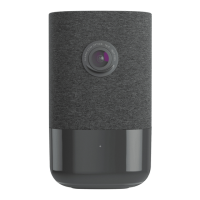
To ensure sufficient Wi-Fi signal, complete these steps with the camera near its final location but prior to mounting.
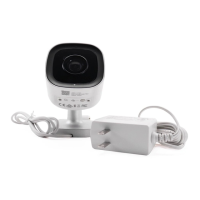
1. Connect the camera’s AC power adapter and plug it into a non-switched outlet. If the standard power supply is too
short to reach an outlet, see How do I extend the power supply of a camera?.
2. The camera’s LED will begin to flash white. If the LED is not white after two minutes, press and hold the
reset button and release when the LED begins to flash white at 6 seconds.
3. On a Wi-Fi enabled device, connect to the wireless network ADC-V523/523X (XX:XX:XX) where XX:XX:XX is the
last six characters of the ADC-V523/523X’s MAC address, which is located on the bottom of the camera or on the
packaging.
4. On the same device, open a web browser and enter http://v523install or 192.168.1.1 in the web address field.
Follow the on-screen instructions to add the ADC-V523/523X to the Wi-Fi network. The LED will be solid green
when the connection is complete.
5. Add the device to the account by selecting the account in the Partner MobileTech app, by using the Alarm.com
app Video Installation Wizard, or by using a web browser and entering the following web
address: www.alarm.com/addcamera.
Note: You will need the customer’s user name and password if using the Alarm.com customer website or
Alarm.com app.
6. Select the camera from the video device list or type in its MAC address to begin adding the camera. The camera’s
MAC address is located on the bottom of the camera or on the packaging.
7. Follow the on-screen instructions to finish adding the camera.
You may configure camera settings from the Customer Website. You can now power down the camera and install it in
its final location using the included hardware.
WPS mode
To ensure sufficient Wi-Fi signal, complete these steps with the camera near its final location but prior to mounting.
1. Connect the camera’s AC power adapter and plug it into a non-switched outlet.
2. Press and hold the reset button on the bottom of the camera and release when the LED begins to flash blue at 3
seconds.
https://answers.alarm.com/Partner/Installation_and_Troubleshooting/Video_Devices/1080p_Indoor_Wi-Fi_Camera_ADC-V52…
Updated: Tue, 08 Oct 2024 16:21:33 GMT
4


 To Next Page
 Loading...