— 33 —— 32 —
Advanced Settings
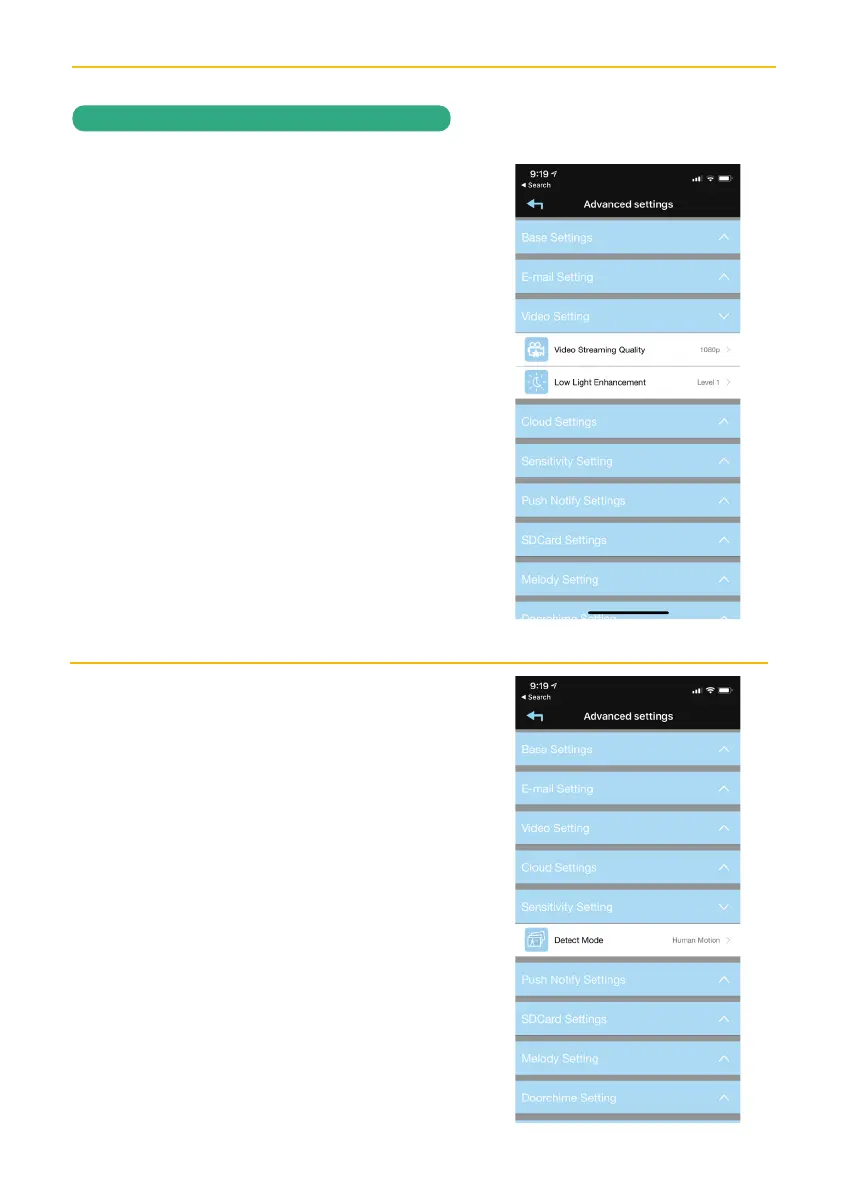
Tap on Video Setting and the Video setting
options will appear. Perform the following
on this screen:
VIDEO QUALITY: Tap to set the Video
Quality. Tapping VGA will allow for faster
video streaming, but the picture will not be
as clear. Tapping HD Video (1080P) will
give the best video but will be slow. Tapping
Better Image (720P) will provide mid speed
and mid video picture.
LOW LIGHT ENHANCEMENT: Tap to set
the Low Light Enhancement. 5 will provide the
brightest enhancement and 1 the lowest.
Tap on Sensitivity Setting and the
Sensitivity setting options will appear.
Perform the following on this screen:
DETECT MODE:
Tap Detect Mode to set
the desired Sensitivity Settings as follows:
OFF: Turns sensitivity off. (No Motion
Detection)
Software: Uses advanced software for
motion detection. In this setting, set the
Day and Night as desired. Higher means
more sensitive to less motion creating
more recordings.
Human Motion: Detects human motion.
.
Continued on next page.
REMOTE ACCESS


 To Next Page