106
INSTALLATIONS WITH SEVERAL ENTRY POINTS.
INSTALLATIONS ON ESTATES WITH SEVERAL INTERNAL
BUILDINGS. 6+N+COAXIAL SYSTEM
ket to the audio unit. If you cannot find the fault, there may
be something wrong with the monitor.
You can hear whistling in the panel. The sound
produces feedback.
Lower the sound level using the volume control on the
audio unit.
The call tone doesn’t ring on any monitor.
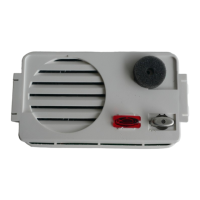
Check that the voltage between 2 and 7 in the audio
unit, without pressing the push button, is 9 Vdc. Check the
connection between 7 in the audio unit and the push-but-
tons. Check connection 2 from the audio unit to the moni-
tors. If you cannot find the fault, there may be something
wrong with the audio unit.
The call tone doesn’t ring in a monitor.
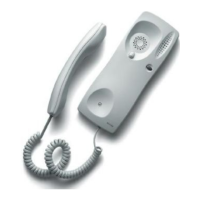
Check that the handset is not off the hook. Check the con-
nection between the connection bracket and the monitor.
Check connections 2 and 5 from the conection bracket to
the entrance panel. Check the push-button connection on
the audio unit. If you cannot find the fault, there may be
something wrong with monitor or the panel push-button.
You cannot hear the call confirmation on the
entrance panel.
Check that you can hear the monitors on the entrance
panel. Check that the call tone rings on the monitors. If you
cannot find the fault, there may be something wrong with
the audio unit.
The electric lock doesn’t work.
Check that the voltage between 1 and 2 in the audio
unit, without pressing the lock release button, is 5 Vdc.
Check that the voltage between 11 and 12 in the audio
unit, when you press the lock release button, is 12 Vac.
Make certain that connectors 17 and 18 on the panels are
connected up. If you cannot find the fault, the lock may be
broken.
When you call one of the panels the rest of the
panels in the system are not disabled.
Make certain that connectors 17 and 18 on the panels
are connected up. In installations on estates, check con-
nection 16 between the different entrance panels of the
main entrance. Check that the voltage between 2 and 17
in each one of the audio unit is 8 Vdc when you press the
push button on one of the panels. If you cannot find the
fault, there may be something wrong with the audio units.
Nothing works.
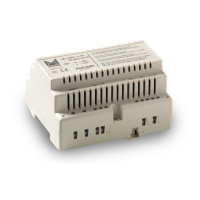
Check the mains voltage in the power supply unit that
feeds the audio unit. Check that the voltage between
and V of the power supply is 12 Vac. Check for the
existence of a short circuit and rectify this. Disconnect the
power supply for 1 minute and then reconnect it. If ithe
breakdown continues, disconnect all the power supply
V and terminals, and check that the voltage betwe-
en and V is 12 Vac. If this is not the case then there
may be something wrong with the power supply.
The card holders do not light up.
Check that the voltage between and V of the power
supply that feeds the audio unit is 12 Vac. Check that the
voltage between 9 and 10 in the audio unit, with the
lighting push button activated, is 12 Vac. Check whether
the lamp is burnt out.
The lighting push button pilot does not light up.
Check that the voltage between and V in the audio
unit is 12 Vac. If the voltage is correct, there may be
something wrong with the audio unit.
No monitor can be heard from the entrance
panel.
Check connections 2 and 3 from the audio unit to all
the monitors. Check the volume control on the panel and
the lighting push button pilot. Make certain that connec-
tors 17 and 18 on the panels are connected up. If you
cannot find the fault, there may be something wrong with
the audio unit.
One monitor cannot be heard from the
entrance panel.
Check connections 2 and 3 from the connection brac-
ket to the audio unit. If you cannot find the fault, there
may be something wrong with the monitor.
You cannot hear an entrance panel on any moni-
tor.
Check connections 2 and 4 from the audio unit to all
the monitors. Check the volume control on the monitors
(on the panel) and the lighting push button pilot. If you
cannot find the fault, there may be something wrong with
the audio unit.
You cannot hear the entrance panel on a
monitor.
Check connections 2 and 4 from the connection brac-


 To Next Page
 Loading...