107
The video system does not work in any moni-
tor: auto switch-on, screen doesn´t come on
when receiving a call, ...
In installations on estates, check connection 16 between
the different entrance panels of the main entrance. Check
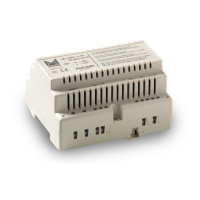
the mains voltage in the power supply unit that feeds the
monitors. Check that the voltage of the power supply bet-
ween - and + is 15 Vdc. Check if there's a short circuit and
rectify it. Disconnect the power supplies supply for 1 minu-
te and reconnect it. If the breakdown continues, disconnect
all the - and + terminals from the power supply unit and
check that voltage between - and + is 15 Vdc. If it's not
correct, there may be something wrong with the power
supply.
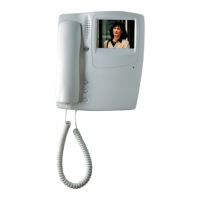
Video system does not work in one monitor:
auto switch-on, screen doesn´t come on when
receiving a call,..
Check that the ON/OFF switch for the video is in ON
position (on the left). Check that the red led of the monitor
is on. Check the connection between the connection brac-
ket and the monitor. Check that the voltage between - and
+ of the connection bracket is 15 Vdc. If failure cannot be
found, there may be something wrong with the monitor.
Poor image quality on all the monitors: distor-
ted picture, ghost images, loss of synchronisa-
tion.
Check that you have only one entrance panel defined as
the main one. In installations on estates, define the main
panel for each estate building. If splitters have been used
in the distribution, check that the voltage between - and +
of the splitters is 15 Vdc.
Check that coaxial cable line has a 75 Ohm load: a) if
tap-offs have been connected in series the 75 Ohm resis-
tance must be removed from all the intermediate tap-offs; b)
with monitors in series cut the 75 Ohm resistances on all the
connection brackets, but from the one at the end of the line.
Check coaxial connection in splitters and tap-offs. If you
cannot find the fault, there may be something wrong with
the video unit.
Poor image quality on one monitor: distorted
picture, ghost images, loss of synchronisation.
Check that coaxial cable line is charged with 75 Ohm:
iwith monitors in series cut the 75 Ohm resistances on all
the connection brackets, but from the one at the end of the
line. If you cannot find the fault there may be something
wrong with the monitor.
Auto switch-on does not work on any moni-
tor.
Check that one entrance panel has been defined as
the main one. In installations on estates, define the main
panel for each estate building and check connection 16
between the different entrance panels of the main
entrance. Check connections 17 and 18 between diffe-
rent entrance panels. Check that the voltage between 1
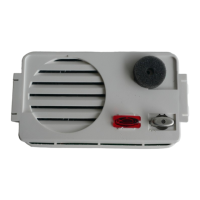
and 2 of the audio unit, without pushing the auto switch-
on button is 5Vdc. If you cannot find the fault there may
be something wrong with the audio unit.
Auto switch-on does not work on one moni-
tor.
Check that pushing the auto switch-on button the red
led flash. Check that the system is not engaged. If you
cannot find the fault, there may be something wrong
with the connection bracket or the monitor.
White picture in all the monitors
Check that the coaxial cable to the monitors is con-
nected to the M and V1 terminals of the video unit. In
multiple access installation, check the M, V2 and M, V3
connections (In installations on estates) of the coaxial
cable between the different video units. Check the con-
nection between the video and the audio units. If split-
ters have been used in the distribution, check that the
voltage between - and + of the splitters is 15 Vdc.
Check the connections of the coaxial cable from the
video unit to the monitors. Check the position of the J1
configuration jumper in the connection brackets. If fai-
lure is not detected, there may be something wrong with
the video unit, any tap-off or any splitter.
White picture in one monitor
Check the position of the J1 configuration jumper in
the connection bracket. Check the connection between
the connection bracket and the monitor. Check the con-
nections of the coaxial cable in the monitor's connec-
tion bracket. Check coaxial's connection from the con-
nection bracket to the video unit. If failure is not detec-
ted there may be something wrong with the tap-off, con-
nection bracket or monitor.


 To Next Page
 Loading...