Transferring calls to mobiles
Receive a call
Place on ‘Hold’
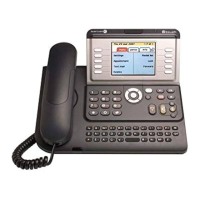
Type the person’s name on the Qwerty
keypad
Use the right navigator key to scroll to the
correct number (entered options may include
Home, Mobile, Office)
Press OK when you have selected the
correct extension named ‘Mobile’
Speak to the call recipient and Transfer
or
Transfer and the call will go to their mobile
voi
cemail or be missed if voicemail is off.
OK












 To Next Page