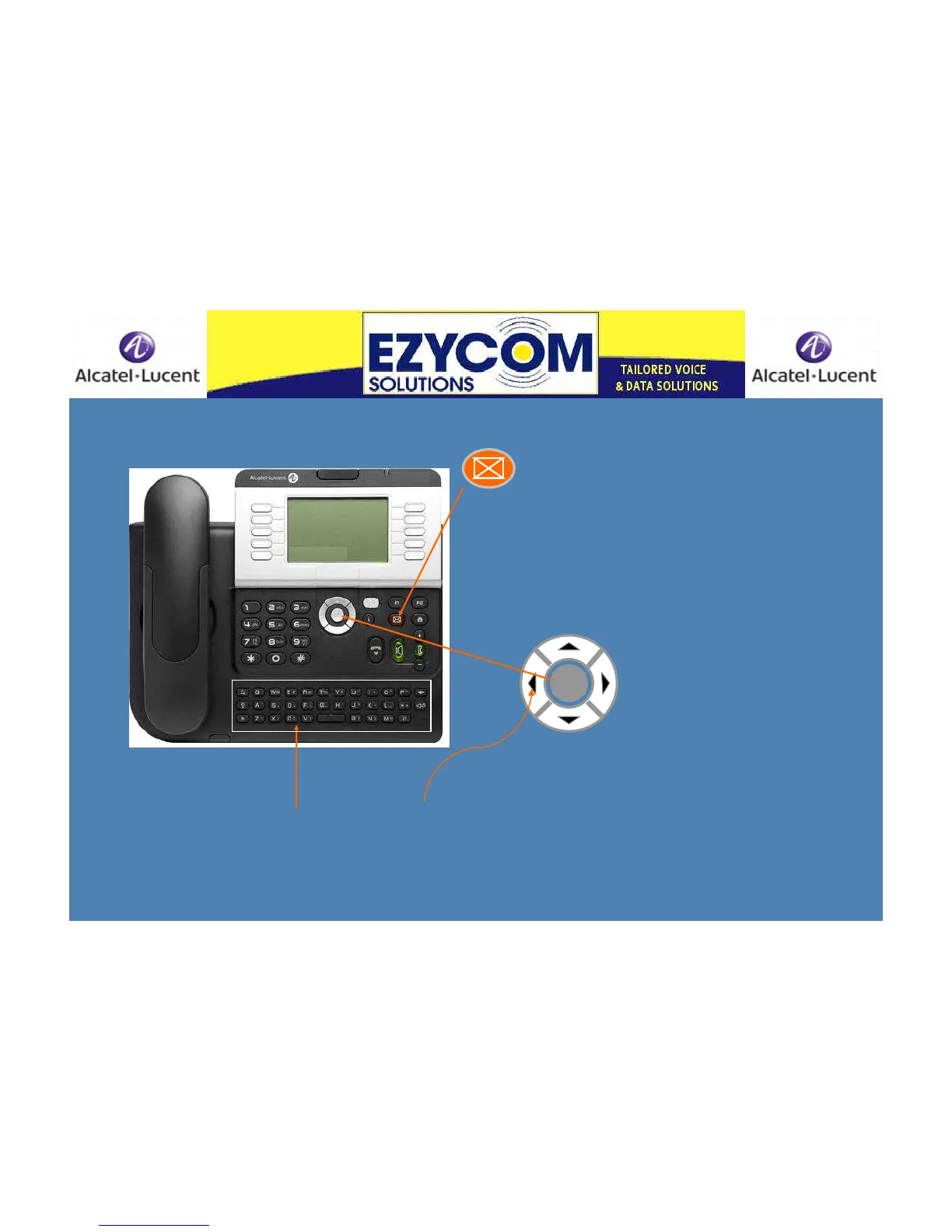
Getting Started -Creating your mailbox
Your Message key will be flashing
Press the Message key
Lift the receiver
Listen to the guides and record your name
Follow prompts & create a 4 digit code
Press the OK key to confirm
Record your name
Press OK to confirm
Receiver or
Handpiece
OK
Entering speed dials using your Qwerty
keypad – refer to slide 16
Creating a Personalised Message
Scroll left on your navigation key into Menu
Press the soft key next to ‘Settings’
‘Mailbox’ will appear – press the soft key
Press ‘Personal message’
Record your personal message and press ‘OK’












 To Next Page