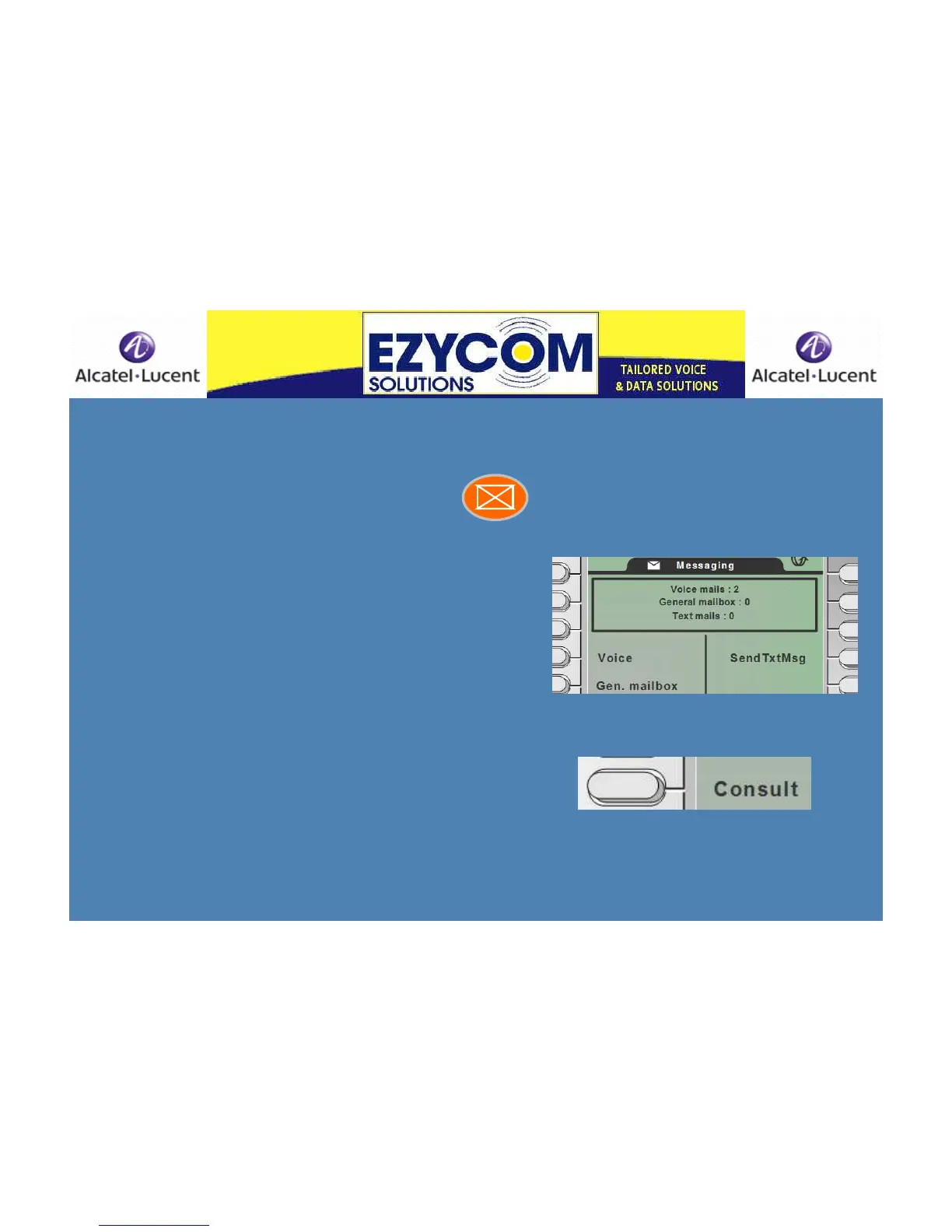
Retrieving messages from your handset
The message icon flashes when there are
messages on your phone
Press the orange button
The phone display will automatically display the
message type – either Voice 1 or Text 3
(for example)
.
This means you have 1 voice message and 3
text messages to attend to.
Press the soft key beside Voice
The word Consult will appear. The number will
appear beside a soft key*. Press the soft key.
Press OK. Listen. Press Play or press Clear if
you
want it deleted.
Press the soft key beside Text Message. Use the
navigator keys to scroll up or down the list. Press
OK to read. Usually a phone number is
displayed. You are offered the options to consult,
call or delete.
*if your business has Calling Line Identification












 To Next Page