Diverting your phone to a mobile phone
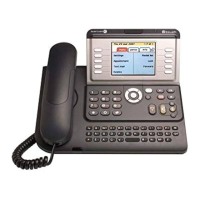
Press the soft key beside the arrow
On display will be:
Immediate = Press the soft key beside the prompt, dial in the
mobile phone number including the ‘0’ prefix e.g. 0 0438 156 422
and your calls are diverted the mobile service.
or
Use the qwerty keypad to locate the name of the person, us
e the navigator keys
to locate the mobile entry and press OK
The arrow will appear black and move in circles
Cancelling diversion to the mobile service = press the soft key beside the black
arrow
Scroll down once to cancel forward
Press the soft key beside the prompt and the diversion is lifted












 To Next Page