10
1�3�1 Status Bar
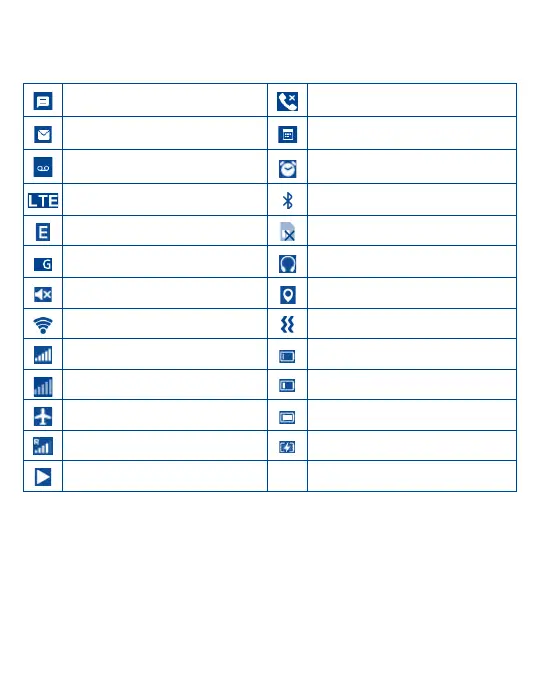
From the status bar, you can view both phone status (to the right side) and notification information (to the left side). Here
is a list of the icons you might see and their meanings:
New text or multimedia message Missed call
New Email message Upcoming event
New voicemail Alarm set
LTE connected Bluetooth
®
active
EDGE connected No SIM card installed
2G connected Headset connected
Silent mode GPS is on
Wi-Fi
®
active Vibrate mode
Signal strength Battery is very low (red bar)
No signal Battery is low
Airplane mode Battery (fully charged)
Roaming Battery (charging)
Song is playing



 To Next Page