15
• Find duplicate contacts: Press the Center Soft Key to find out the duplicate contacts.
• Block this number: Press the Center Soft Key
to show Confirmation information, once confirmed, press the
Right Soft Key to Block.
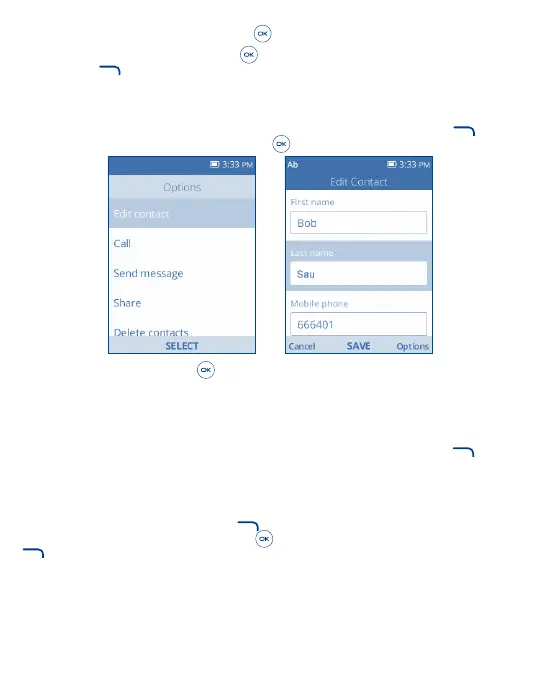
4�3 Edit a Contact
On the contacts list screen, using the Navigation Key to select a Contact, then press the Right Soft Key to access
Options, select Edit contact and press the Center Soft Key
to edit.
When finished, press the Center Soft Key to save.
4�4 Share a Contact
You can share a single contact with others by sending the contact's vCard to them via Email, Messages, or Bluetooth.
On the contacts list screen, use the Navigation Key to select a Contact, then press the Right Soft Key
to access
Options, and then select Share.
4�5 Delete Contacts
On the contacts list screen, press the Right Soft Key to access Options, select Delete contacts, use the Navigation
Key to view available contacts and the Center Soft Key
to make your selection, and then press the Right Soft Key
to delete.



 To Next Page