7
1�2 Getting started
1�2�1 Set up
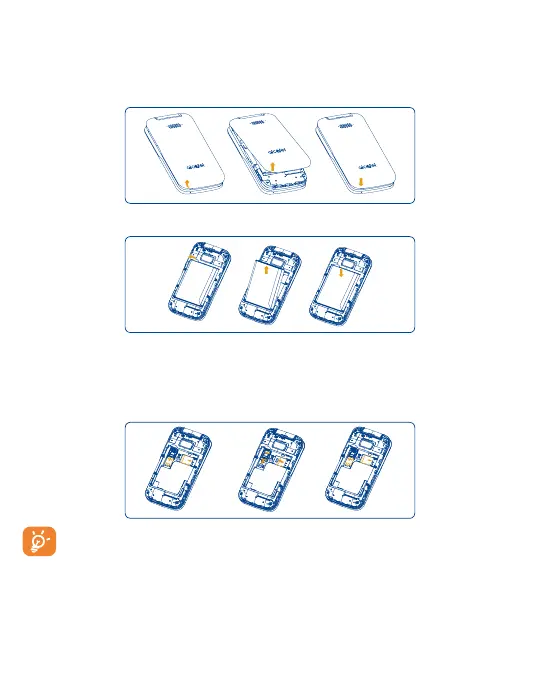
Attaching or removing back cover
Inserting or removing battery
Inserting or removing Nano SIM card and microSD
You must insert your Nano SIM card to make phone calls using your network.
• Insert a SIM or microSD card into the card slot with the gold-colored contacts facing down.
• To remove the SIM or microSD card, push down the plastic spring and pull the SIM or microSD card out.
SIM card
SD card
SIM card
SD card
SIM card
SD card
Your phone only supports Nano SIM cards. In order to avoid damaging your phone, do not attempt to insert other
SIM types, such as Mini or Micro cards.



 To Next Page