9
Note: Even if no SIM card is installed, your phone will still power on and you will be able to connect to a Wi-Fi network
and use some of the phone's features.
1�2�3 Power off your phone
Press and hold the End/Power Key until the phone displays: Lock, Memory Cleaner, Restart, and Power Off. Use
the Navigation Key to select Power Off, then press the Center Soft Key
.
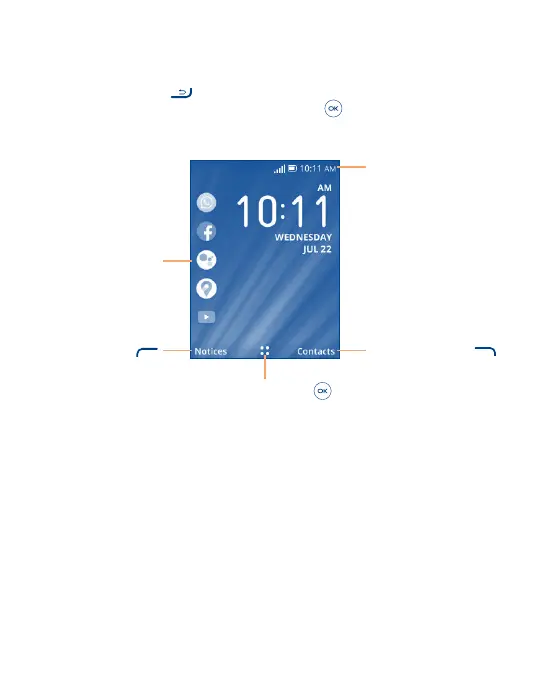
1�3 Home Screen
Status bar
• Status/Notification indicators
Press the Right Soft Key
to enter Contacts
Press the Center Soft Key
to enter all app list
Press the Left Soft Key
to show Notices
Press the Left of the
Navigation Key to list the
Apps on the Home screen



 To Next Page