13
Make an International call
To dial an international call, press
twice to enter “+” in dial screen, enter the international country prefix followed
by the full phone number, then press the Call Key .
Calling your voicemail *
Press and hold
to call voicemail.
3�2 Answering or rejecting a call
During an incoming call:
• Press the Quick Dial Button
once to answer the call with speaker ON.
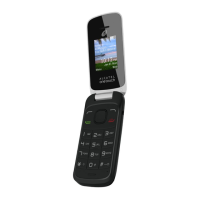
• Open the flip to answer, if Settings
> Personalization > Answer Mode > Flip open to answer is On. Otherwise,
• Press the Left Soft Key
or Call Key to answer.
• Press the Right Soft Key
or the End/Power Key to decline.
• To mute the ringtone volume of an incoming call, press the Volume Up/Down Key.
3�3 Hang up a call
During a call:
• Press the Quick Dial Button
to end the call whether the flip is closed or not.
• Open the flip and press the End/Power Key
to end the call.
• Open the flip and close the flip to end the call.
* Contact your network operator to check service availability.



 To Next Page