8
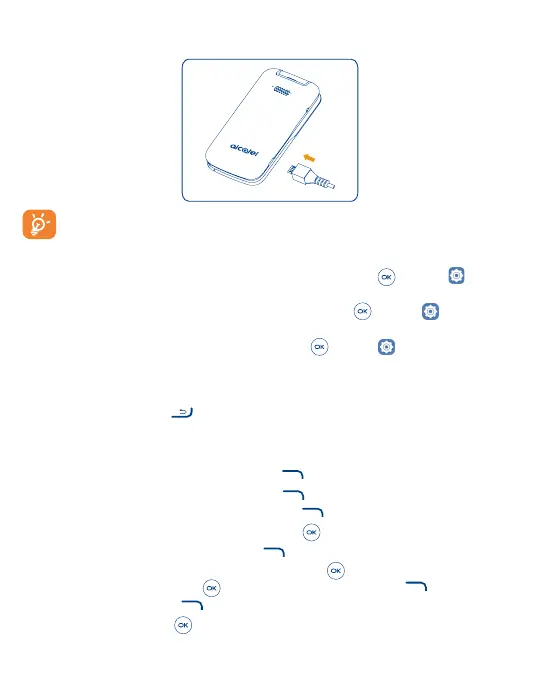
Charging the battery
Insert the small end of the charging cable into the charge port and connect the charger to a power outlet.
To reduce power consumption and energy waste, when the battery is fully charged, disconnect your charger;
switch off Wi-Fi, GPS or Bluetooth when not in use; reduce the backlight time, etc.
To optimize your battery life, you may do the following:
• Turn on power saving mode: From the Home screen, press the Center Soft Key
> Settings > Device >
Battery > Power Saving Mode > On.
• Lower screen brightness: From the Home screen, press the Center Soft Key
> Settings > Personalization
> Display > Brightness. Lower the brightness by pressing the left and right of the Navigation Key.
• Screen timeout: From the Home screen, press the Center Soft Key
> Settings > Personalization > Display
> Screen timeout > 30 seconds.
1�2�2 Power on your phone
Press and hold the End/Power Key until the phone powers on.
Setup your phone for the first time
The first time you power on the phone, you will be guided through the following steps:
• Select the phone's language, then press the Right Soft Key
to go to the next step.
• Select the phone's Keyboard, then press the Right Soft Key
to go to the next step.
• Select an available Wi-Fi network, then press the Right Soft Key
to go to the next step.
• Learn more about Anti-Theft and then press the Center Soft Key
to go to the next step.
• Select Scheduled Install, then press the Right Soft Key
to go to the next step.
• Read the KaiOS Terms and Privacy Policy, press the Center Soft Key
to learn more and/or open URL; Use the
Navigation Key and the Center Soft Key to set options, then press the Right Soft Key to go to the next step.
• Read and press the Right Soft Key
to go to the next step.
• Finally press the Center Soft Key
to enter the Home screen.



 To Next Page