4
POWER AND CHARGING
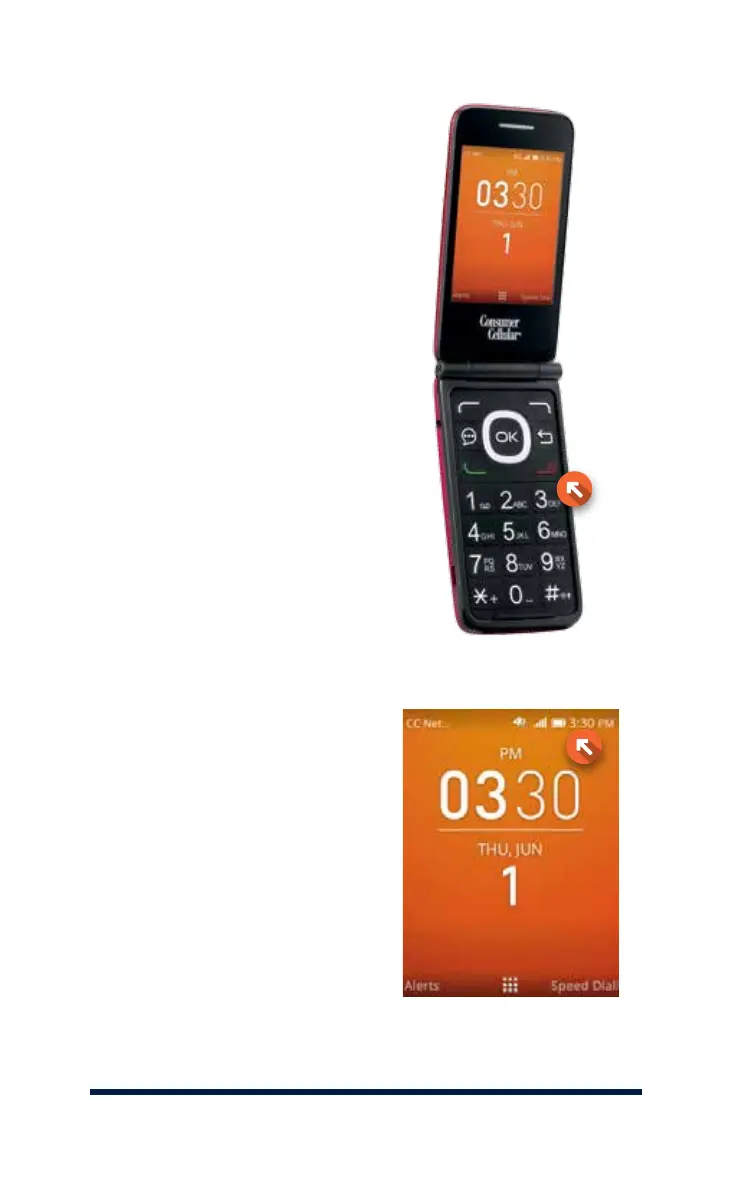
THE POWER BUTTON
The Go Flip’s power button is
the red End Key located near
the top right side of the phone’s
keypad. Press and hold the End
Key to turn your phone on or o.
CHARGING THE BATTERY
When the battery icon displayed
on the screen appears completely
full, the battery is fully charged.
If the battery has not been used
for a long time or if the battery
power is completely depleted, the
charging icon may take several
minutes to appear after you plug
your phone into the charger.














 To Next Page