8
TEXT MESSAGING
CREATING AND SENDING
TEXT MESSAGES
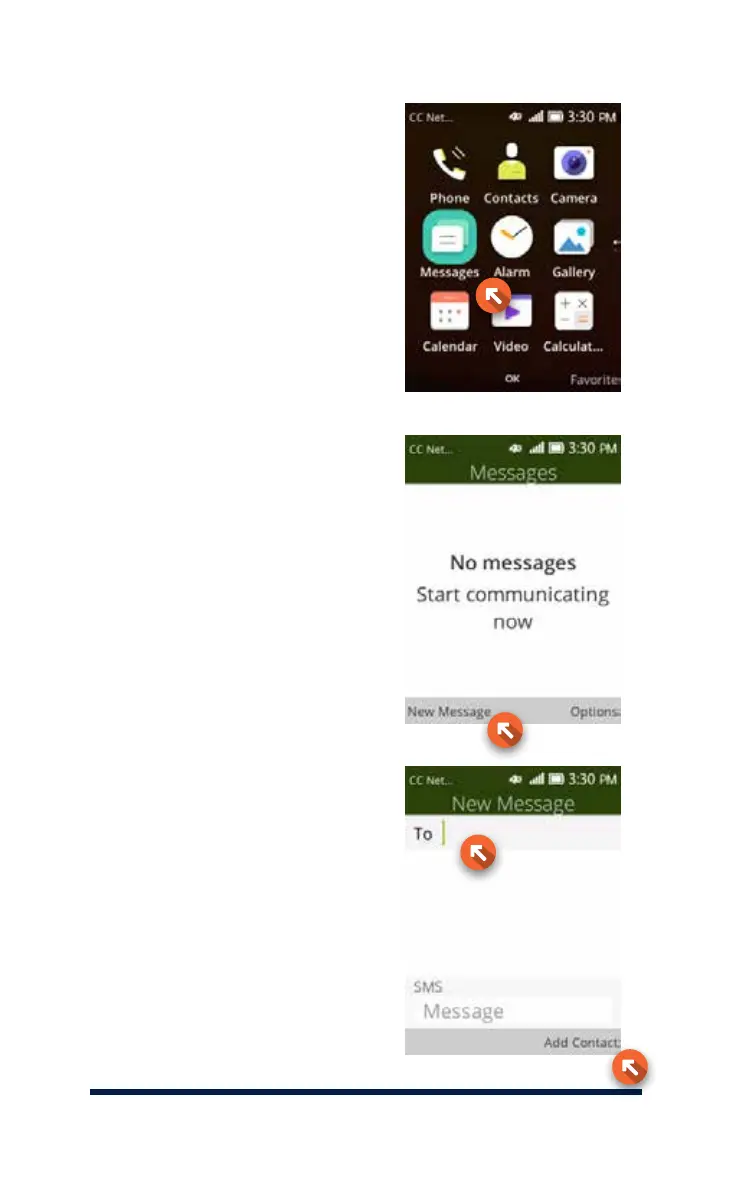
To create and send a text message,
use the Message Short Cut Key
on your home screen (not shown)
or start by selecting Menu with
the Navigation Key, then scroll to
Messages and press the OK Key
to select it.
Press the Left Key to select
New Message.
Enter the recipient in the address
bar. You can enter a valid cellphone
number here, or enter one of your
saved contacts by pressing the
Right Key (Add Contact).














 To Next Page