9
TEXT MESSAGING
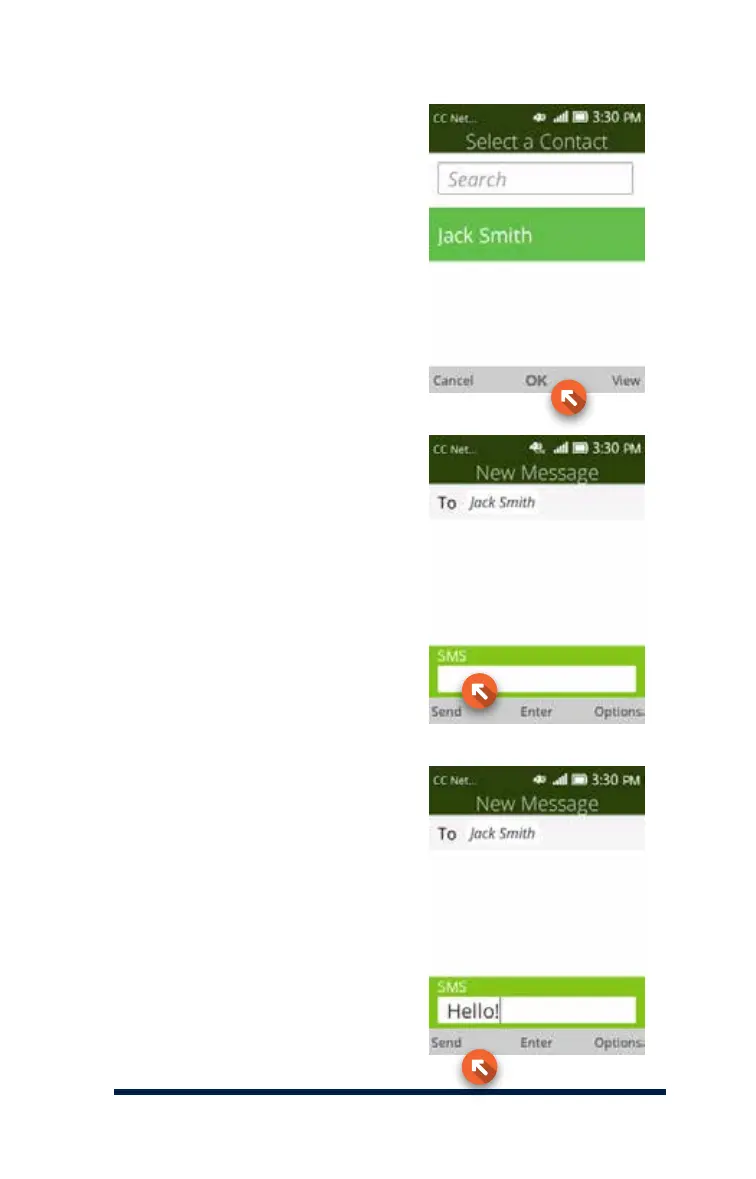
To select an existing contact,
enter their name into the search
box and press the OK Key, or
scroll to your contact and press
the OK Key to select the contact.
When you’re ready to send the
message, press the Send Key.
Next, press the Down Navigation
Key to select the message box
and enter your message. Refer
to page 6 for information on how
to enter text into your message.














 To Next Page