7
ADDING A CONTACT
ADDING A CONTACT
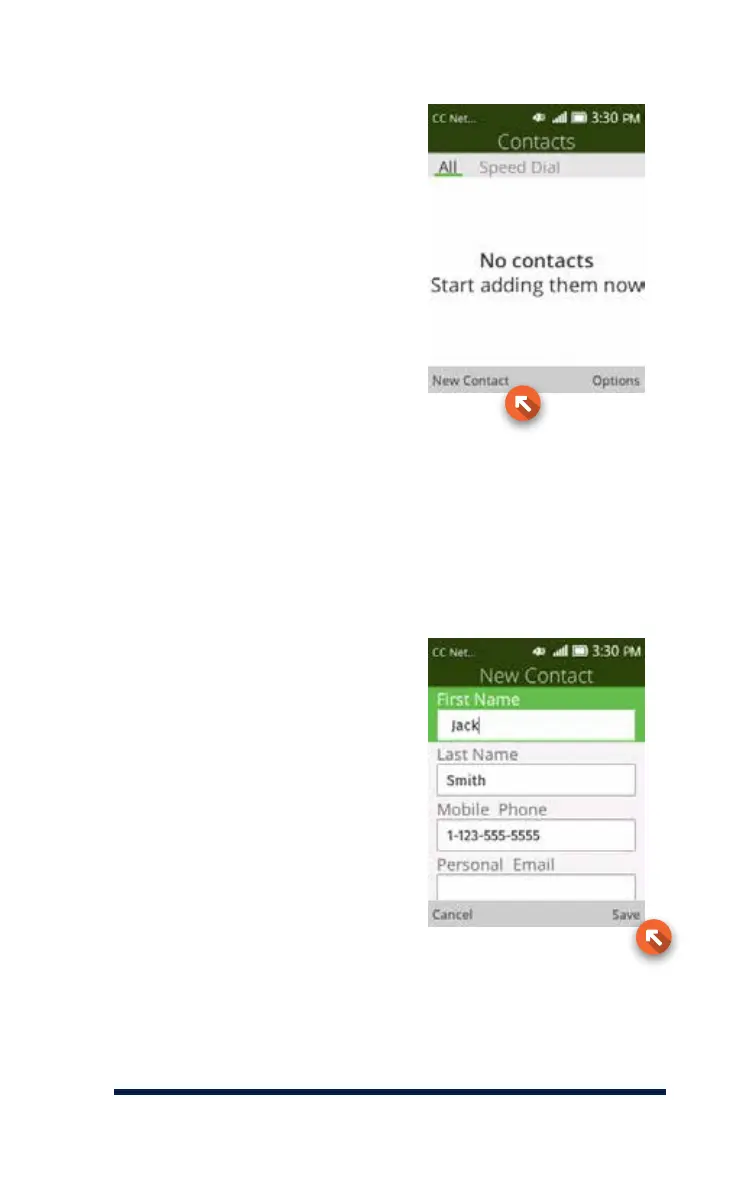
It’s easy to add someone as a
contact into your phone. Simply
press the OK Key from the Home
Screen to access your menu, and
select contact by pressing the
OK Key (not shown). Then, press
the Left Key (New Contact) to
add a new contact. You’ll need
to enter the person’s name by
pressing the corresponding letters
on the keypad.
Enter your contact’s first and
last name, then scroll down and
select mobile, work, or home for
the number type, and enter the
person’s phone number.
When you’re finished, press the
Right Key to save.














 To Next Page