23 24
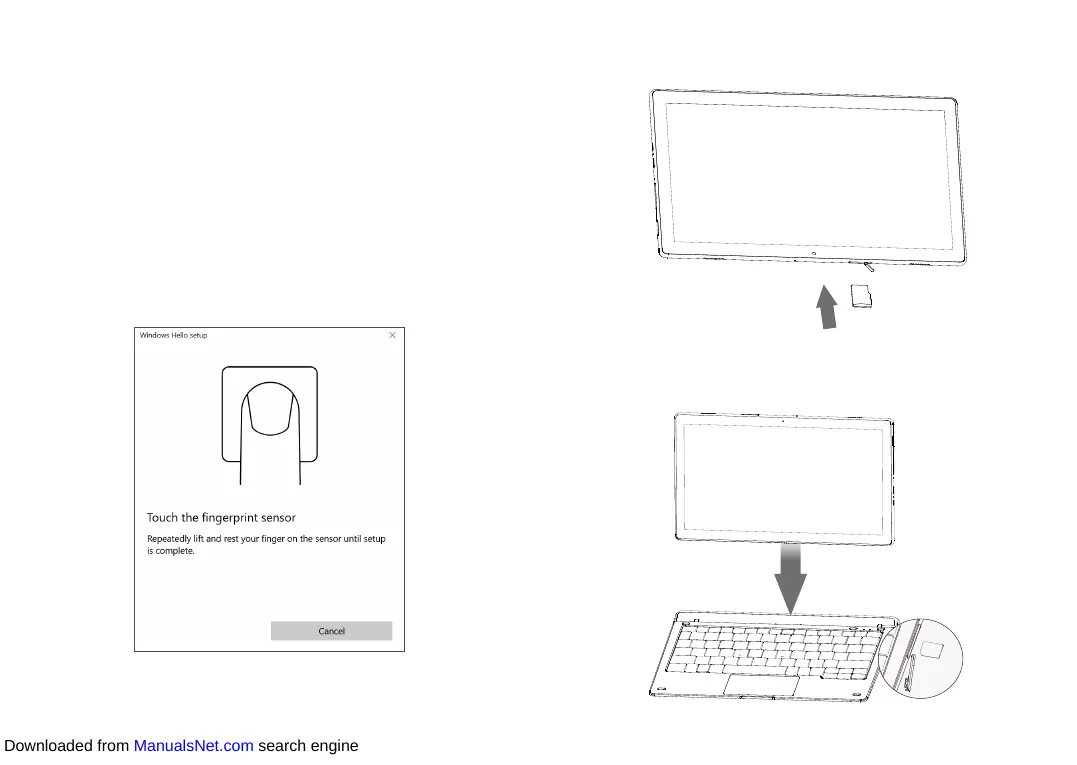
1.3 Setting up your fingerprint
If you want to maximize the protection for your account privacy,
setting up a fingerprint may be the best choice. Choose Settings >
Accounts > Sign-in options to go to the setup page. Before setting up
your fingerprint, you need to set an acount password.
• Touch Set up under "Fingerprint".
• In the Welcome to Windows Hello window, touch Get started.
• Touch the fingerprint sensor (surface of the Power key), and
repeatedly lift and rest your finger on the sensor until the setup
is complete.
After your fingerprint is set up, your device becomes more personal
and you can unlock it just with a finger touch.
1.4 Inserting microSD and SIM card
Insert the microSD card to expand your tablet's storage.
Insert a 3G/4G SIM card into the SIM card slot, dock your tablet
correctly with the keyboard, and connect to the keyboard hotspot to
start your Plus12 experience.
Downloaded from ManualsNet.com search engine













 To Next Page