25 26
1.5 Mode switchover
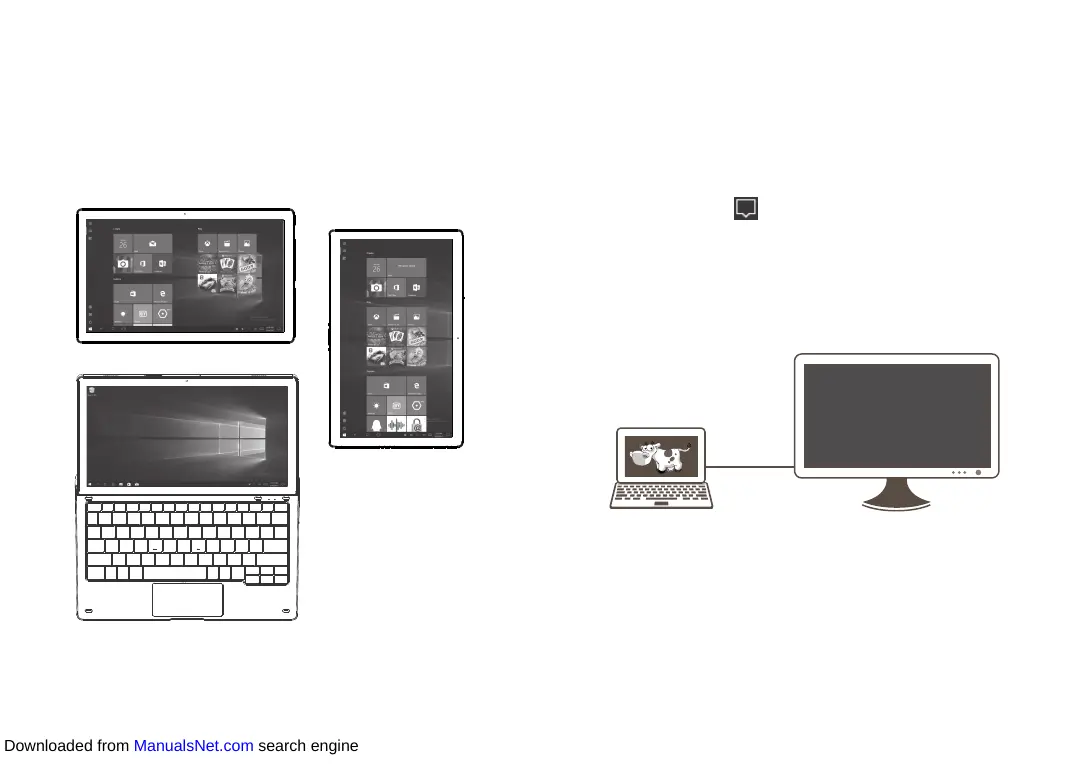
Once your tablet has started, you can choose your preferred viewing
mode.
When you separate your tablet from the keyboard, it supports
switchover between the landscape and portrait modes.
When you dock your tablet on the keyboard, it switches to the laptop
mode.
Laptop mode
Landscape mode
Portrait mode
1.6 Projecting to a larger display
You can project the tablet sreen to a larger display like a TV. Switch to
the laptop mode to make the most of this feature.
1.6.1 Use an HMDI cable
• Use an HDMI cable to interconnect the HDMI ports of the tablet
and display device.
• Select Action center in the taskbar, and touch Project. Then
there will be four modes available for selection: PC screen only,
Duplicate, Extend, and Second screen only.
PC screen only
In this mode, the communication is interrupted between the tablet
and display device. That is, contents appear only on the tablet screen.
HDMI
Downloaded from ManualsNet.com search engine













 To Next Page