37 38
2.6.3 Add notes to screenshots using screen sketch
Open screen sketch and draw on whatever you're doing on your
Plus12 at that moment, or resume a previous screen sketch. All
sketchpad tools are here, from Stencils to line width to sharing and
exporting.
2.7 Cameras and other related apps
Plus12 has a front-facing camera (5 megapixel). You can use the front
camera to video chat with a friend.
2.7.1 Take photos and record videos
By default, the built-in Camera app is ready to take photos, but you
can switch easily between photo and video mode. To take a photo or
record a video:
• Go to Start , and select Camera.
• Select the on-screen Camera or Video button to activate
the camera you want to use and select the button again to take
a picture or start recording video.
Note: To pin the Camera app to Start, select All Apps, press and hold
(or right-click) the Camera app, and select Pin to Start
2.7.2 Change camera options
Quick settings
You can find the quick settings in the upper part of the viewfinder
screen.
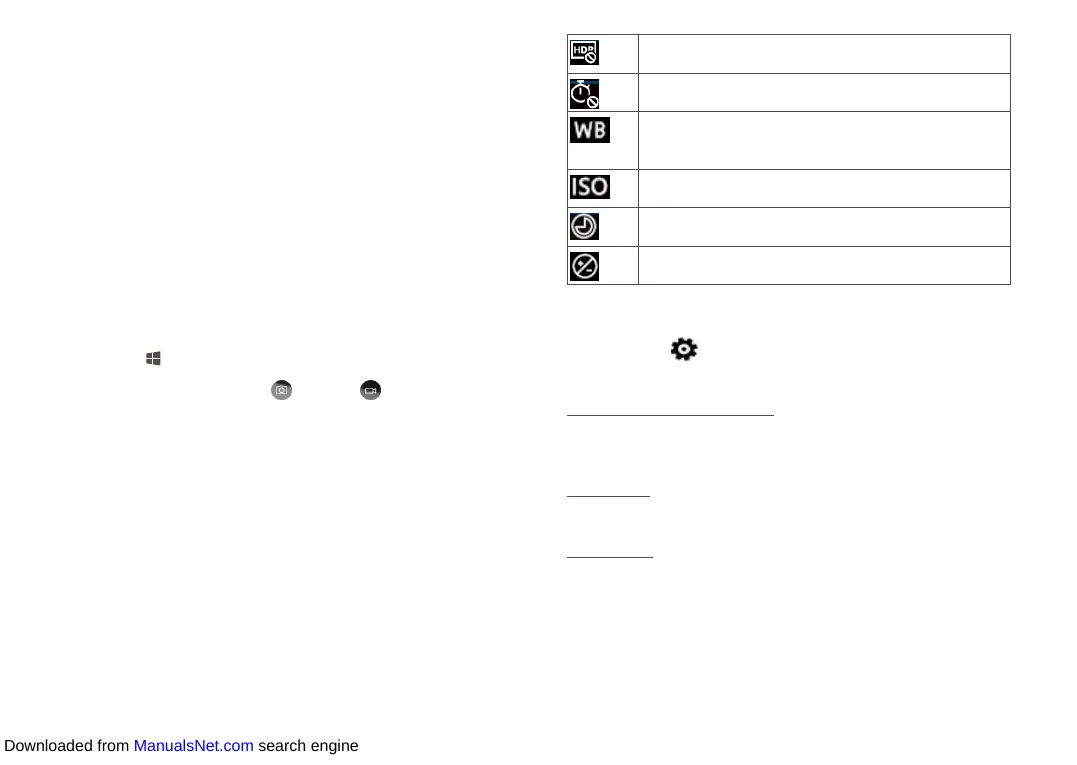
Select HDR in the upper part so that you can take
better pictures of high contrast scenes.
Select this icon to set a 2, 5, or 10-second timer or
deactivate the timer function.
Touch the rightward arrow to expand new options,
and select this icon to adjust the white balance
settings.
Touch the rightward arrow to expand new options,
and select this icon to adjust the ISO settings.
Touch the rightward arrow to expand new options,
and select this icon to adjust the shutter speed.
Touch the rightward arrow to expand new options,
and select this icon to adjust the brightness.
Change advanced settings
Select Settings by the right side, and change the advanced settings
for your camera.
Press and hold camera button
You can press and hold the camera button to capture a video, enable
the photo burst, or deactivate these functions.
Aspect ratio
Set the Aspect ratio to 16:9 or 4:3 to match your shooting habits.
Framing grid
Here you can select a framing grid from four options: Rule of thirds,
Golden ratio, Crosshairs, and Square. If you dislike the grid, just turn
it off.
Downloaded from ManualsNet.com search engine













 To Next Page