EasyManua.ls Logo

Alcatel POP4 - User Manual

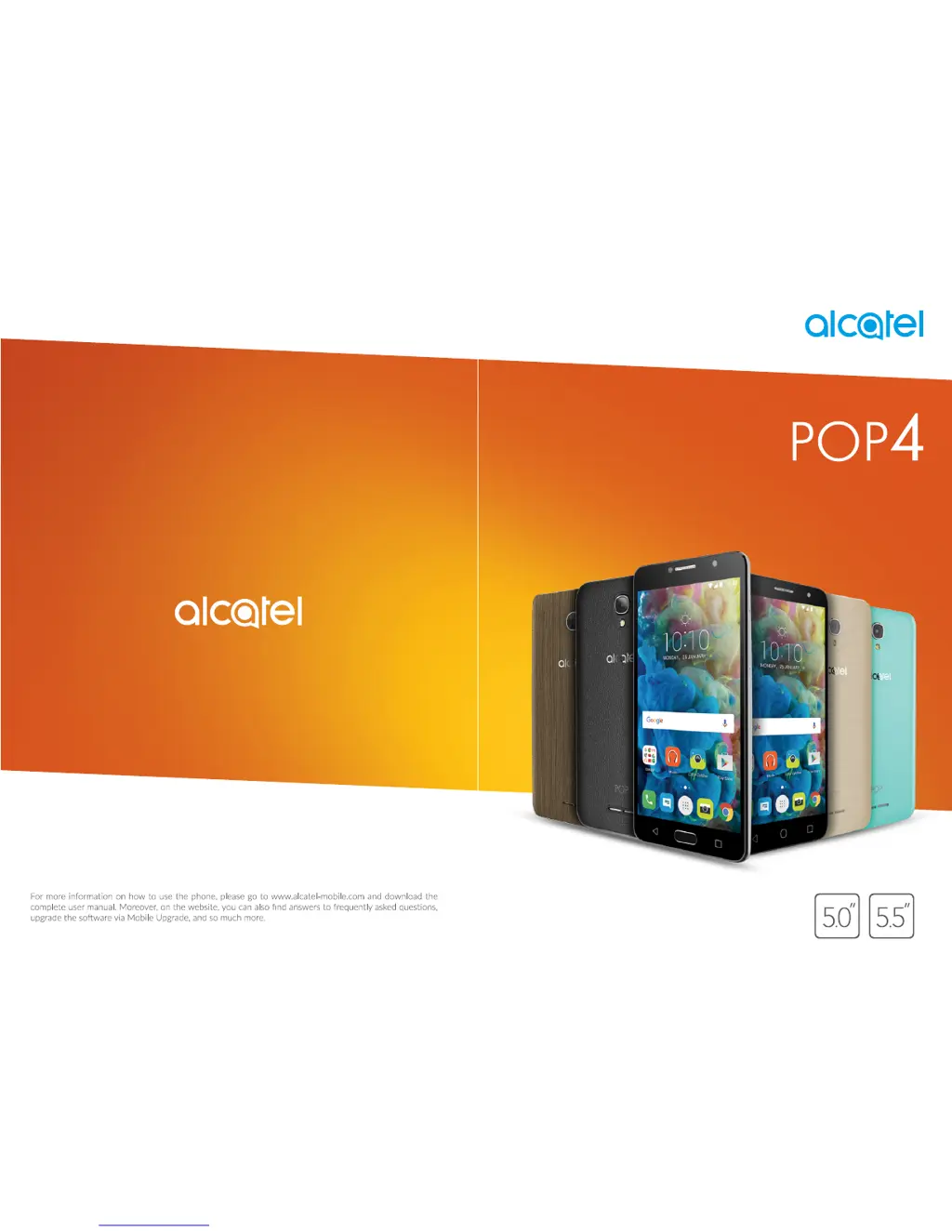
Alcatel POP4
52 pages
Print Icon
To Next Page IconTo Next Page
Loading...

Questions and Answers

  • S
    Sarah GomezSep 9, 2025
    Why am I unable to use the features described in the manual on my Alcatel POP4?
    • K
      Kim HallSep 9, 2025
      If you are unable to use the features described in the manual for your Alcatel Cell Phone, check with your operator to ensure your subscription includes the service. Also, make sure the feature doesn't require an Alcatel accessory.
  • O
    olivia42Sep 7, 2025
    Why is the sound quality of the calls poor on my Alcatel Cell Phone?
    • A
      Amy MorrowSep 7, 2025
      If the sound quality of calls on your Alcatel Cell Phone is poor, you can adjust the volume during a call using the Volume Up/Down key. Also, check the network strength.
  • P
    Priscilla AguirreAug 22, 2025
    How to fix Alcatel POP4 Cell Phone that can't be switched on or is frozen?
    • J
      Joshua MooreAug 22, 2025
      To resolve the issue of your Alcatel Cell Phone not switching on or being frozen, try the following: * Charge the phone for at least 20 minutes to ensure it has enough battery power. * Press and hold the power key to reset the device. * Reset the phone using the Power key and the Volume up key (holding both together) or upgrade the software using the Mobile Upgrade tool.
  • A
    Aaron WolfeSep 5, 2025
    Why doesn't the caller’s name/number appear when a call is received on my Alcatel Cell Phone?
    • E
      Eddie HughesSep 5, 2025
      If the caller’s name/number does not appear when you receive a call on your Alcatel Cell Phone, it may be because you haven't subscribed to this service with your operator, or the caller has concealed their name or number.
  • M
    Martha ButlerSep 4, 2025
    Why am I unable to receive incoming calls on my Alcatel Cell Phone?
    • C
      Cassandra RyanSep 4, 2025
      If you are unable to receive incoming calls on your Alcatel Cell Phone, first ensure that your phone is switched on and connected to a network that isn't overloaded or unavailable. Check your subscription status with your operator, verifying your credit and SIM card validity. Also, make sure you haven't forwarded incoming calls or barred certain calls. Finally, confirm that your phone isn't in Aeroplane mode.
  • A
    austin91Sep 2, 2025
    Why am I unable to make outgoing calls on my Alcatel Cell Phone?
    • D
      David ThomasSep 2, 2025
      If you are unable to make outgoing calls on your Alcatel Cell Phone, ensure you have dialed a valid number and pressed the call button. For international calls, verify the country and area codes. Check that your phone is connected to a network that isn't overloaded or unavailable. Confirm your subscription status with your operator, ensuring your credit is sufficient and your SIM card is valid. Also, check that you haven't barred outgoing calls and that your phone isn't in Aeroplane mode.
  • J
    Jessica MendezSep 1, 2025
    How to fix Alcatel POP4 Cell Phone that can't connect to the Internet?
    • M
      Mary CarrilloSep 1, 2025
      If your Alcatel Cell Phone can't connect to the Internet, check that the IMEI number (dial *#06#) matches the one on your warranty card or box. Ensure that your SIM card's internet access service is active. Verify your phone's internet connection settings. Make sure you are in an area with network coverage. If problems persist, try connecting again later or from a different location.
  • T
    Thomas RhodesAug 31, 2025
    What to do if my Alcatel POP4 Cell Phone can't connect to a network or 'No service' is displayed?
    • V
      vbrooksAug 31, 2025
      If your Alcatel Cell Phone can't connect to a network or displays 'No service', try the following: * Try connecting in another location. * Verify network coverage with your operator. * Check with your operator that your SIM card is valid. * Try selecting available networks manually. * If the network is overloaded, try connecting at a later time.
  • S
    Stacy MorrisonAug 30, 2025
    How to fix Alcatel POP4 that can't charge properly?
    • P
      patriciahermanAug 30, 2025
      If your Alcatel Cell Phone is not charging properly, ensure you are using the Alcatel charger that came in the box. If the battery is completely discharged, it may take about 20 minutes for the charging indicator to appear. Also, make sure charging is carried out under normal conditions (0°C to +40°C). When you are abroad, verify that the voltage input is compatible.
  • E
    Erik BrownAug 28, 2025
    Why does my Alcatel POP4 keep turning off by itself?
    • R
      Ricardo CrossAug 29, 2025
      If your Alcatel Cell Phone turns off by itself, there are a few things you can check: 1. Ensure that your screen is locked when not in use and that the power key isn't accidentally being pressed when the screen is unlocked. 2. Check the battery charge level. 3. You can also try resetting the phone using Factory data reset or upgrading the software using FOTA/Mobile Upgrade.

Summary

Safety and Use

Protect Your Hearing

Advice to prevent hearing damage from high volume levels and caution with loudspeaker use.

Your Mobile

Getting Started

Initial setup steps including SIM card insertion, charging, and powering on/off.

Home Screen

Overview of the main phone interface, navigation elements, and app access.

Text Input

Using the Onscreen Keyboard

Settings and usage of the virtual keyboard for text entry and text editing.

Call, Call Log and Contacts

Phone Call

Making, receiving, managing calls, and configuring call settings.

Contacts

Creating, managing, editing, and synchronizing contact information.

Messaging

Write a New Message

Composing and sending SMS and MMS messages, including attachments.

Calendar & Alarm Clock & Calculator

Getting Connected

Connecting to the Internet

Establishing internet connections via GPRS/3G/4G or Wi-Fi.

Connecting to Bluetooth Devices

Pairing and connecting to other Bluetooth-enabled devices for data exchange.

Multimedia Applications

Camera

Taking photos and shooting videos with various shooting modes and settings.

Google Applications

Settings

Wireless & Networks

Managing Wi-Fi, Bluetooth, mobile networks, data usage, and airplane mode.

Device

Customizing display, lock screen, sound, apps, storage, battery, and memory settings.

Personal

Configuring gestures, location services, security, accounts, and language settings.

System

Managing date/time, accessibility, printing, regulatory info, developer options, and about phone.

Update Your Phones Software

Troubleshooting

Alcatel POP4 Specifications

General IconGeneral
BrandAlcatel
ModelPOP4
CategoryCell Phone
LanguageEnglish

Related product manuals