REF: WM4 User Manual V7.docx Page 20 © Alcolizer Technology
• F1: Toggle Status screen
• F4: Save event log
• Alt: toggle instrument configuration menu
• Esc: Toggle instrument configuration menu
• Alt+up: Switch to previous configuration page
• Alt+down: Switch to next configuration page
• Alt+left: Switch to previous tab or page
• Alt+right: Switch to next tab or page
• Ctrl+Alt+P: Write screen shot to USB
7 User Interface
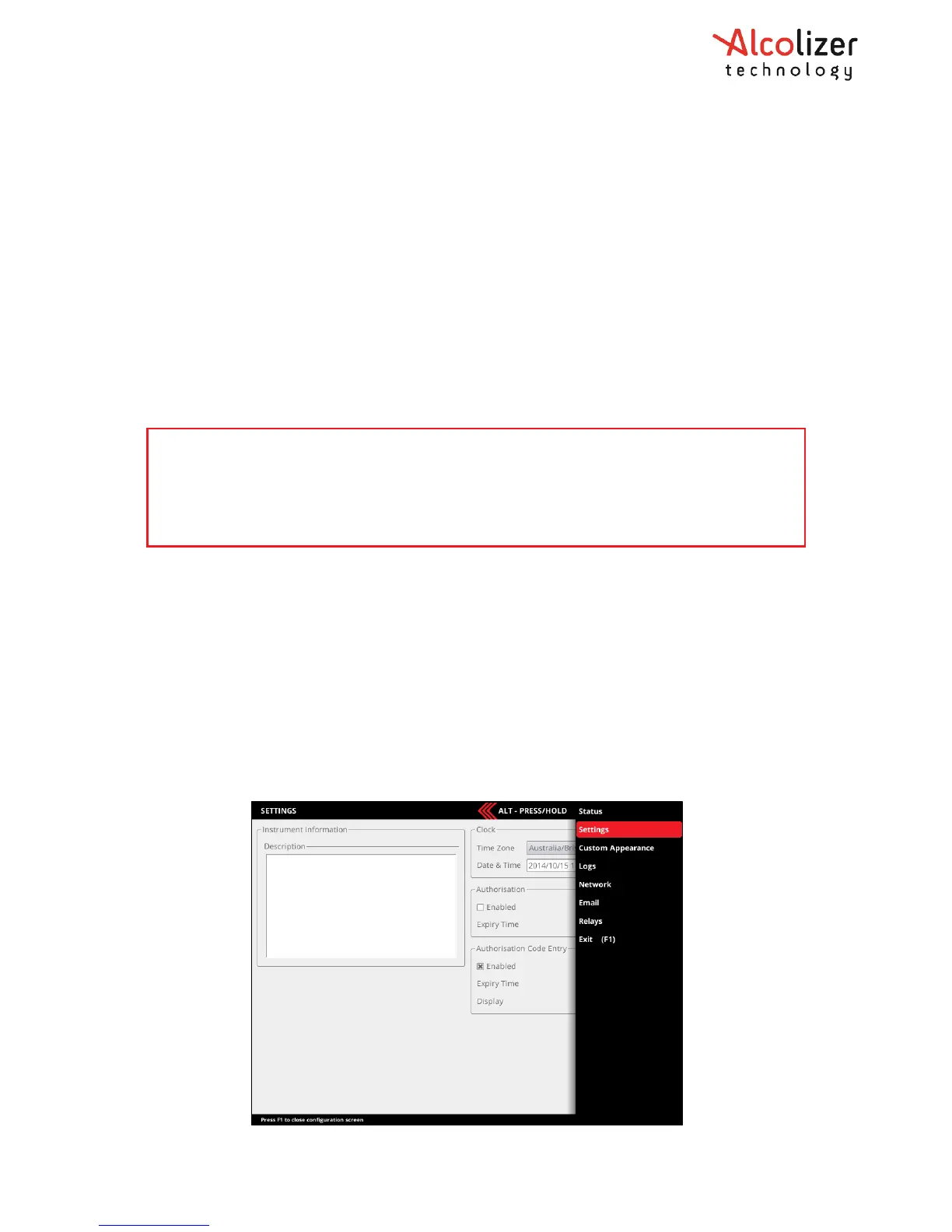
7.1 Accessing the user menu
To access the User Menu, perform the following steps:
a. Connect a keyboard in accordance with paragraph 0.
b. Press the F1 key to access the WM4 User Menu area.
c. Press the left Alt key to bring up available menu choices.
d. Press the down key and move down to the required menu (e.g. Settings).
e. Press left Alt to hide the menu and give clear access to the selected page.
NOTE
Use only the left Alt key. The right Alt key has no function.
The spacebar has the same functionality as the Enter key in normal usage. When entering data,
use the spacebar not the Enter key.



 To Next Page