REF: WM4 User Manual V7.docx Page 22 © Alcolizer Technology
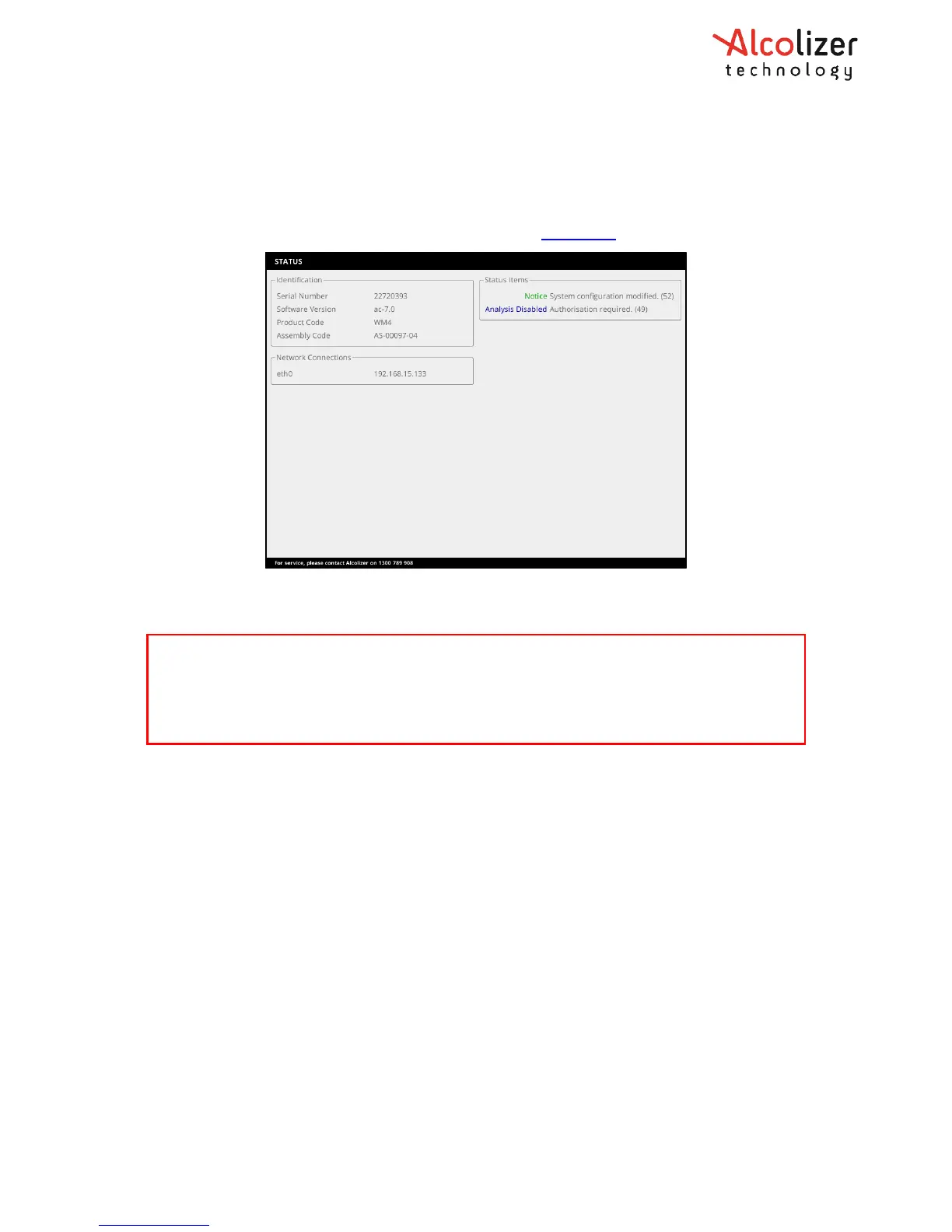
• If connected to a valid network the instrument's IPv4 address is displayed (e.g.
192.168.15.133).
• If not connected to a valid network, none available is displayed.
For further information regarding the Network refer to Section 11.
7.3 Status LED lights
The WM4 status can also be assessed by viewing the status LEDs on the main circuit board
while the unit is on. Only STAT4 and STAT5 LEDs display status. STAT4 displays the Log
Export State and STAT5 displays the WM4 State.
The LEDs various displays indicate the following:
• STAT4:
• LED Off - Log save not in progress
• LED On - Log save triggered or in progress
• STAT5:
• LED fast blinking – Reset
• LED two short pulses – Starting up
• LED continuous one short pulse – Running
• LED steady blinking – Shutting down
• LED on – Shut down (power still connected and On)
• LED off – Unit Off
If any other blinking patterns are noticed, contact your authorised Alcolizer service
technician on 1300 789 908.
WARNING
When the instrument is open or not installed on the back plate, electrical components are
exposed. The following steps require the user to open the WM4 with power applied.
Do not come in contact with any exposed components.



 To Next Page