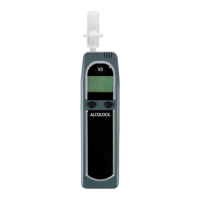
ALCOLOCK LR5
HANDSET CABLE
The Handset cable connects the Handset to the ECU, which
is connected to the vehicle’s ignition.
The Handset should remain connected at all times, but follow
these steps if the Handset needs to be removed:
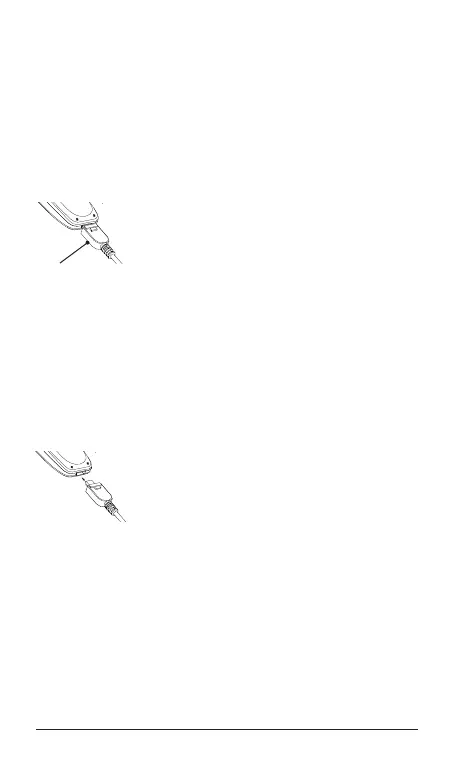
To disconnect the handset
1. Make certain that the vehicle engine is
Off.
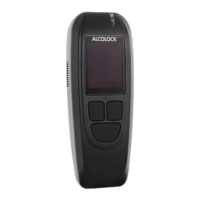
2. With the back of the Handset facing you,
hold the connector by the plug and press
and hold the “PUSH” button.
3. Gently pull the Handset connector to
disengage the connection.
WARNING! Disconnection of the cable when the engine is
running is unsafe and may result in Program Violations.
To connect the handset
1. Make certain that the vehicle engine is
Off.
2. Turn the Handset so that its back is
facing you. Hold the cable connector with
the “PUSH” button facing you. Align the
cable connector pins (silver plate) to the
Handset connector and carefully insert
the connector.
3. The connector will latch if the pins are
properly aligned.
WARNING! Do not force a misaligned connector, pull on
the cord, or turn the connector, as doing so may damage
the device. If the device is damaged, you may not be able
to take a breath test, in which case you may not be able
to start your vehicle. The alcohol interlock WILL NOT shut
Off your vehicle during operation.
PUSH
P
U
S
H
P
U
S
H


 To Next Page