Need help?
Do you have a question about the Alesis iO4 and is the answer not in the manual?
Visual representation of how to connect the iO4 to various audio and computer devices.
Step-by-step instructions for safely powering up the iO4 and connected audio equipment.
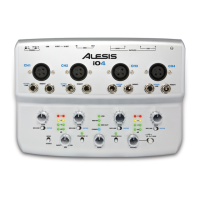
Connect a microphone using an XLR cable to this input.
Activates +48V phantom power for XLR microphone inputs.
Connect the iO4 to a computer using a USB 2.0 cable.
Setup instructions for Windows 7 operating system.
Setup instructions for Windows Vista operating system.
Setup instructions for Windows XP operating system.
Setup instructions for macOS operating system.
Step-by-step guide to activate the Cubase LE 5 software license.
Instructions for resolving "permissions" errors when running software on Windows.
 General
| Brand | Alesis |
|---|---|
| Model | iO4 |
| Category | Recording Equipment |
| Language | English |

 To Next Page