14
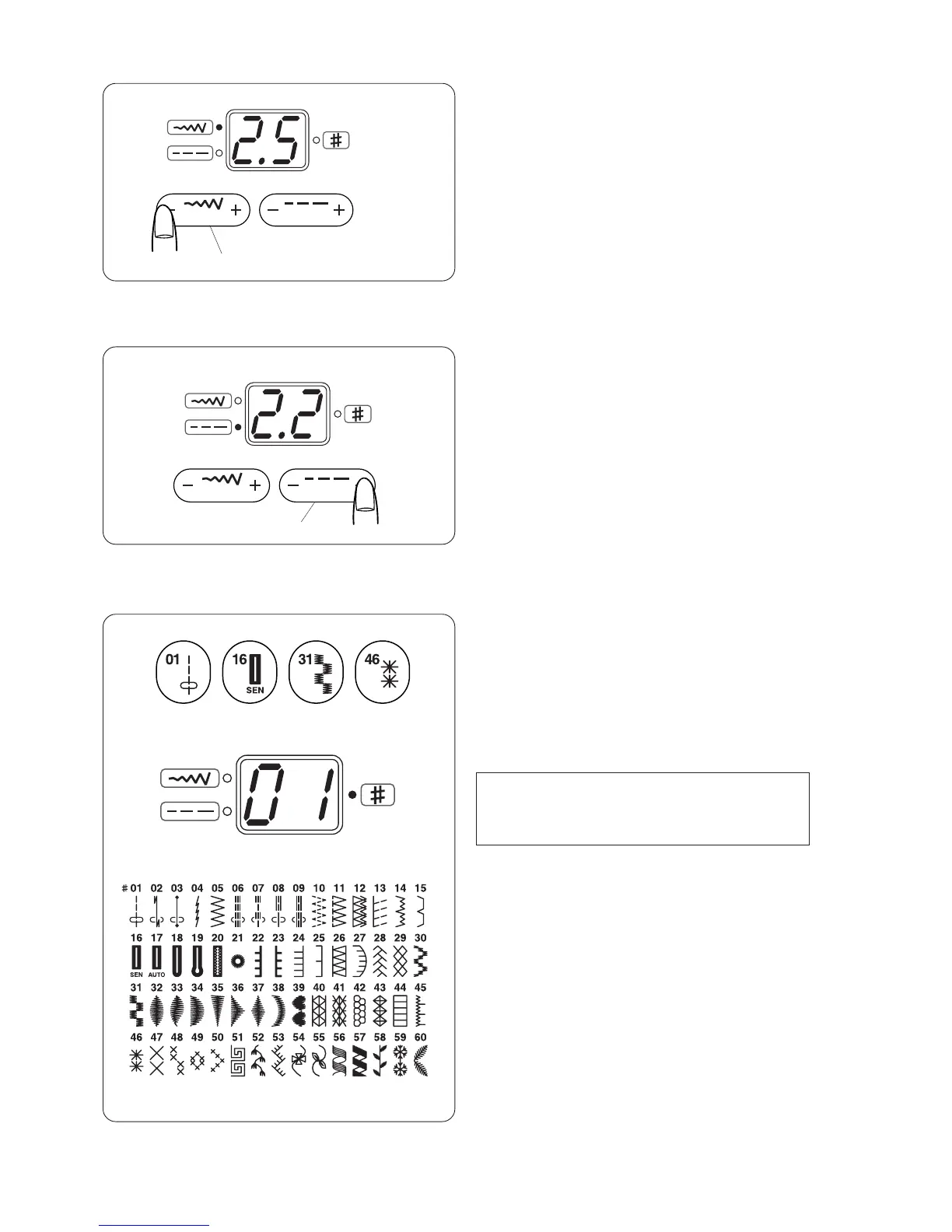
t Stitch width adjusting button
When pressing this button, the stitch width of the
selected pattern will be indicated and the green light
on the top left will light up.
To alter the stitch width, press on the "+" or "–" sign.
The stitch width can be altered while stitching.
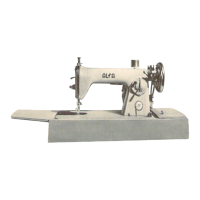
y Stitch length adjusting button
When pressing this button, the stitch length of the
selected pattern will be indicated and the green light
on the bottom left will light up.
To alter the stitch length, press on the "+" or "–" sign.
The stitch length can be altered while stitching.
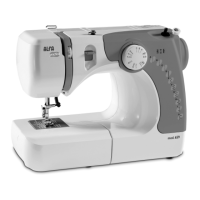
Direct pattern selection buttons
There are 4 buttons for selecting stitch patterns.
Press one of the buttons until the pattern number of
the desired stitch pattern is indicated.
u Button 01 will select the patterns #01 to #15.
i Button 16 will select the patterns #16 to #30.
o Button 31 will select the patterns #31 to #45.
!0 Button 46 will select the patterns #46 to #60.
y
u
t
i
o
!0
When selecting the pattern, raise the needle to its
highest position.
NOTE:


 To Next Page