AlgoForce E1500
18
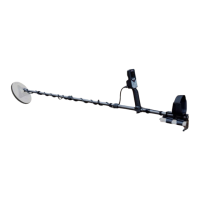
In the Coil Selection setting, there are five coil icons, each
storing the calibration parameters and the coil size for a
different coil. This means the detector can store calibration
parameters for up to five coils.
If the package comes with a coil, its calibration parameters will
be saved as the default parameters for all the coil icons. If it
doesn't, the parameters of a factory-designated standard coil
will be used as the default. Factory reset does not change the
coil icons' calibration parameters or coil size.
of each coil icon can be modified
by following these steps:
Hold the Return/Auto FS button to enter the coil size editing mode. In this mode, a short
underscore appears beneath the coil size number you intend to modify. Use the Left/Pinpoint or
Right/Auto GB button to select the coil size number you wish to adjust. Then, make the desired
modifications using the Minus or Plus button. To exit the coil size editing mode, press the
Return/Auto FS button. After making these adjustments, you will see the selected coil size
displayed in both the Main Detection UI and the Pinpoint UI.
When you connect a new coil, it's recommended to calibrate it by following these steps:
Choose an unused coil icon to save the calibration parameters and adjust its coil size to
match the actual coil.
Hold the coil in the air, keeping metal and soil at least one meter away.
Hold the Minus and Plus buttons until coil calibration starts. Keep the coil in the air during
the 25-second calibration process. Coil calibration will be performed for all detection
modes one by one. Afterward, the LCD will display "Coil Ready". For some very rare coils,
LCD will display "Coil Not Optimal" when Ultra-Fine detection mode is used. In those
cases, if you would like to keep using the coil, you need to switch to a different detection
mode until the LCD displays "Coil Ready".
The real-time noise level of the selected frequency and the past
noise levels from the last Auto FS are displayed in a graph for
convenient manual frequency selection. If Auto FS hasn't been
run since a factory reset, the past noise levels are displayed as
gray bars of equal height. To choose a relatively quiet
frequency with a low noise level, press Minus or Plus.
Electromagnetic interference often changes. The past noise
levels from the last Auto FS may not accurately reflect the
current real-time noise levels. If necessary, hold the
Return/Auto FS button to update the past noise level to the
current real-time noise level.


 To Next Page
