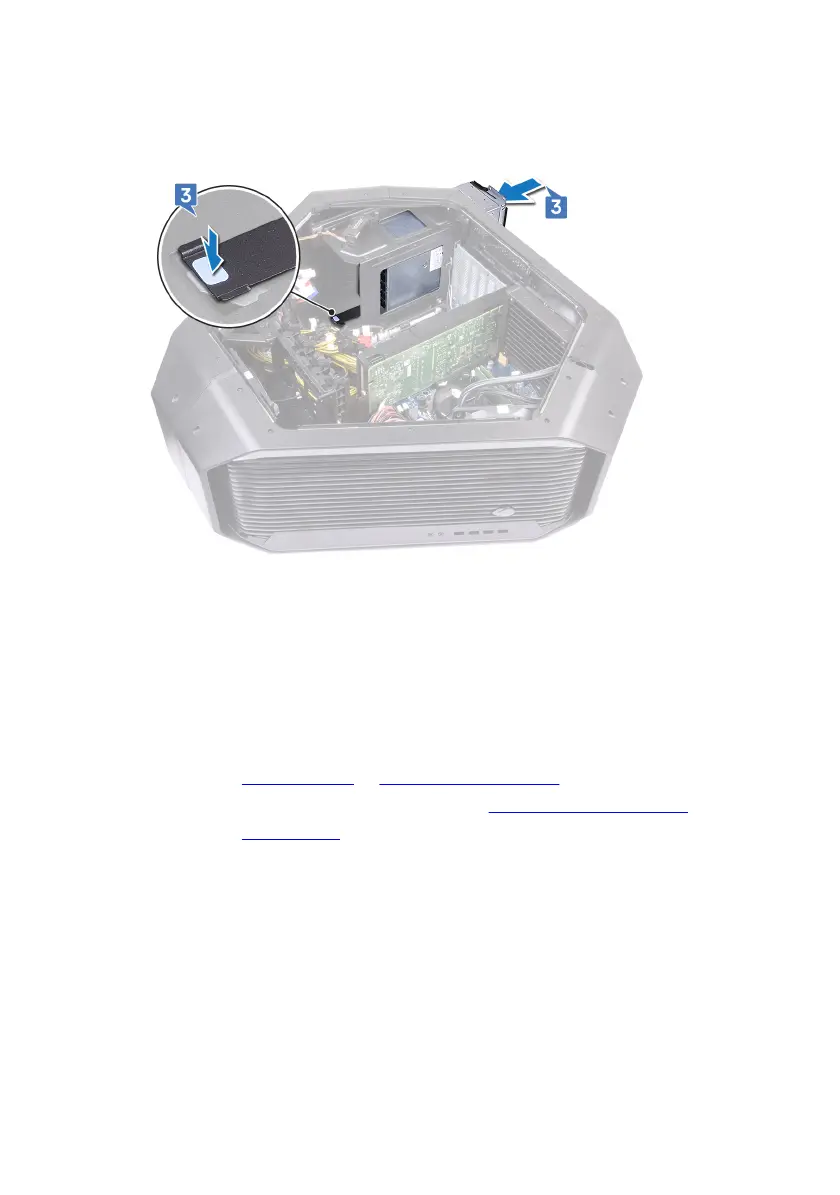
3 Press and hold the securing tab on the chassis and slide the power-supply unit
into the chassis until it snaps into position.
4 Align the notch on the power-supply unit cover with the tab on the chassis.
5 Replace the four screws (#6-32x6) that secure the power-supply unit to the
bezel.
6 Connect the power cable to the power-supply unit.
Post-requisites
1 Replace the graphics cards or multiple graphics cards.
2 Replace the left and right side-panels. See “Replacing the side panels”.
3 Replace the stability foot.
114


 To Next Page