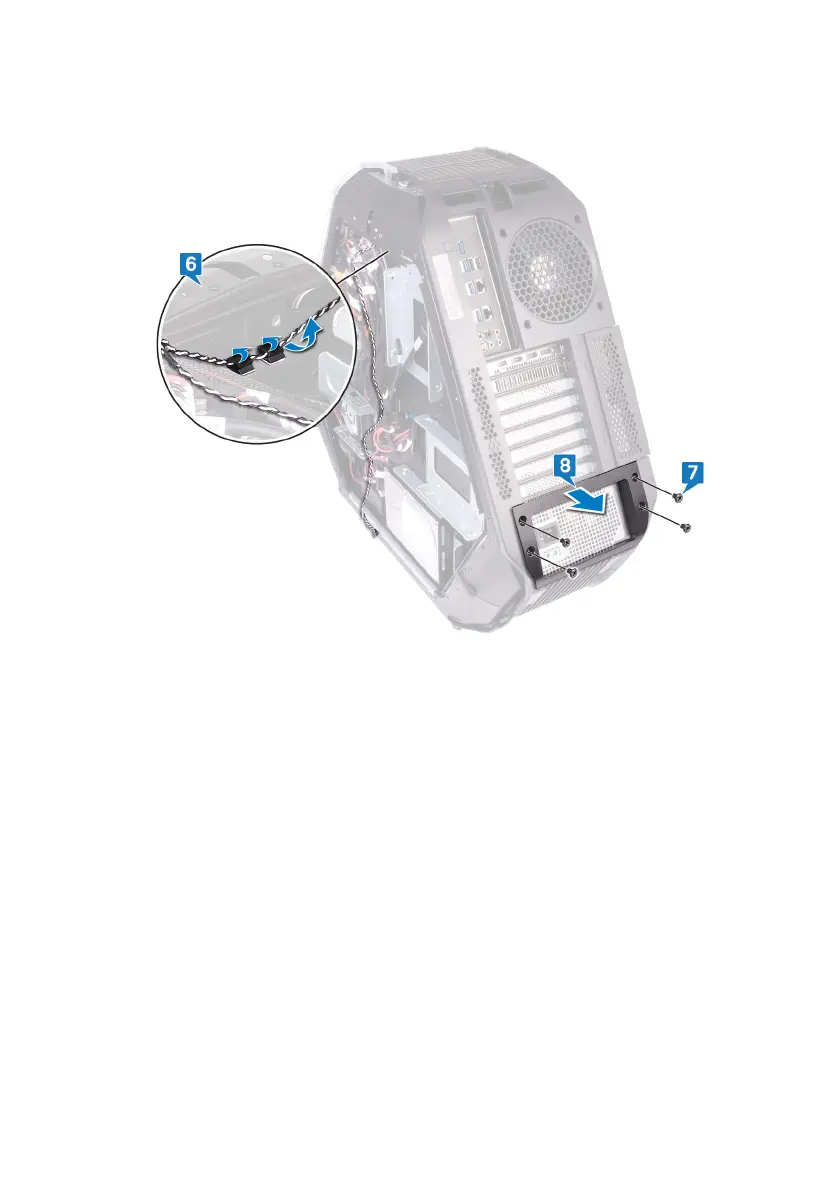
8 Lift the power-supply unit cover away from the chassis.
9 Remove the four screws (#6-32x6) that secure the rear bezel to the top and
bottom of the chassis.
10 Remove the screw (M3x5) from inside, that secure the rear bezel to the
chassis.
11 Release the tabs from inside the chassis on the left side, securing the rear
bezel to the chassis.
12 Release the tabs from inside the chassis on the right side, securing the rear
bezel to the chassis.
134


 To Next Page