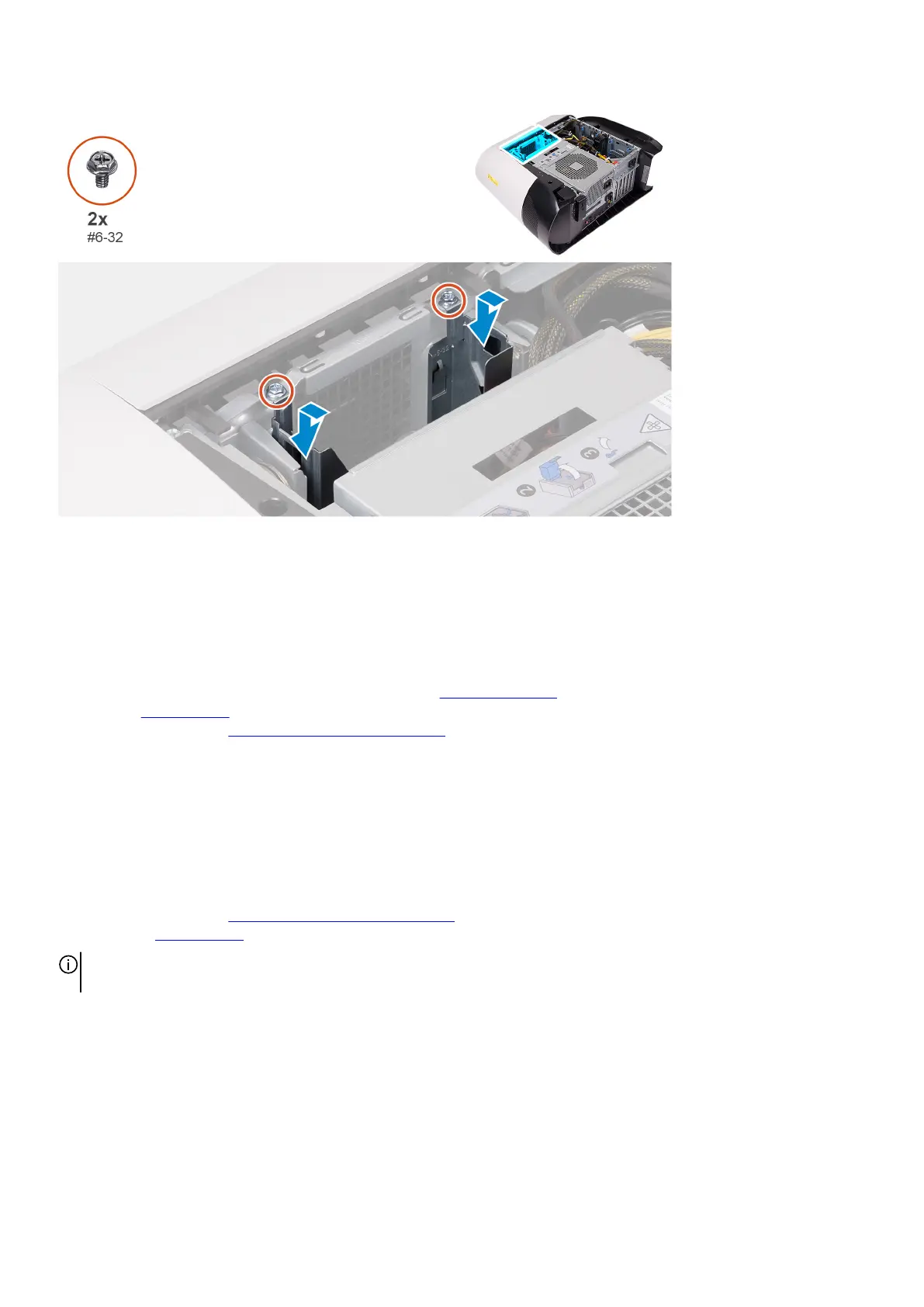
Steps
1. Insert the 3.5-inch hard-drive cage into its slot on the chassis.
2. Align the tabs on the cage with the tabs on the chassis.
3. Replace the two screws (#6-32) that secure the 3.5-inch hard-drive cage to the chassis.
Next steps
1. Follow the procedure from step 3 to step 4 in installing the
3.5-inch hard drive, if installed.
2. Install the left-side cover.
3. Follow the procedure in After working inside your computer.
550 W power-supply unit
Removing the 550 W power-supply unit
Prerequisites
1. Follow the procedure in Before working inside your computer.
2. Remove the left-side cover.
NOTE: Note the routing of all cables as you remove them so that you can route them correctly after you replace the power-
supply unit.
About this task
The following images indicate the location of the power-supply unit and provides a visual representation of the removal procedure.
30















 To Next Page