Removing and installing components
NOTE: The images in this document may differ from your computer depending on the configuration you ordered.
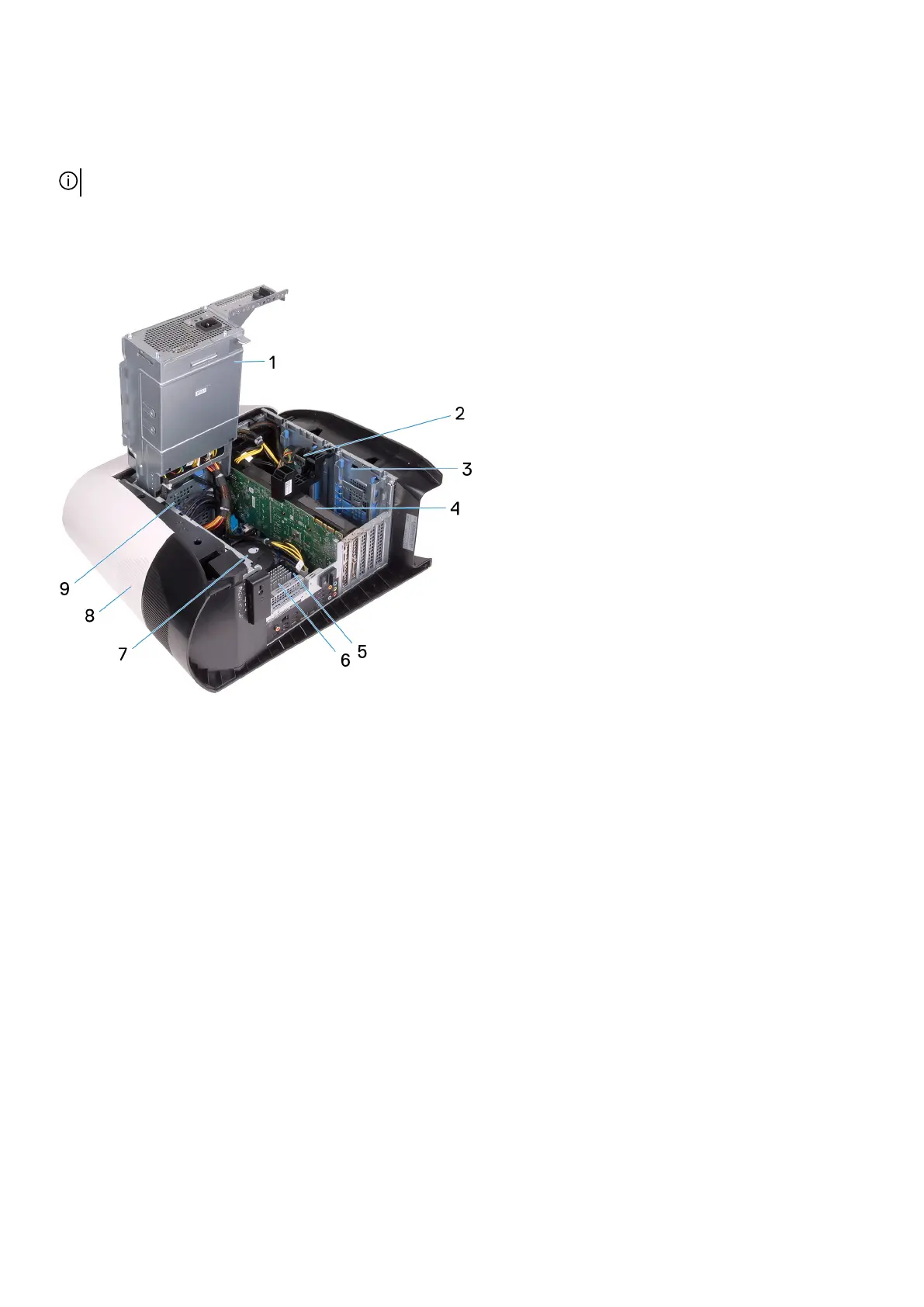
Inside view of your computer
1. power-supply unit 2. 2.5-inch hard drive
3. 2.5-inch hard-drive cage 4. graphics card
5. system board 6. VR heat sink
7. processor fan and liquid cooling assembly 8. top cover
9. 3.5-inch hard-drive cage
9















 To Next Page