Steps
1. Ensure that the securing clips are extended away from the memory-module slot.
2. Align the notch on the memory module with the tab on the memory-module slot.
3. Insert the memory module into the memory-module slot and press the memory module down until it snaps into position and the
securing clips lock in place.
CAUTION: To prevent damage to the memory module, hold the memory module by the edges. Do not touch the
components on the memory module.
NOTE: Repeat step 1 to step 3 to replace any other memory modules installed in your computer.
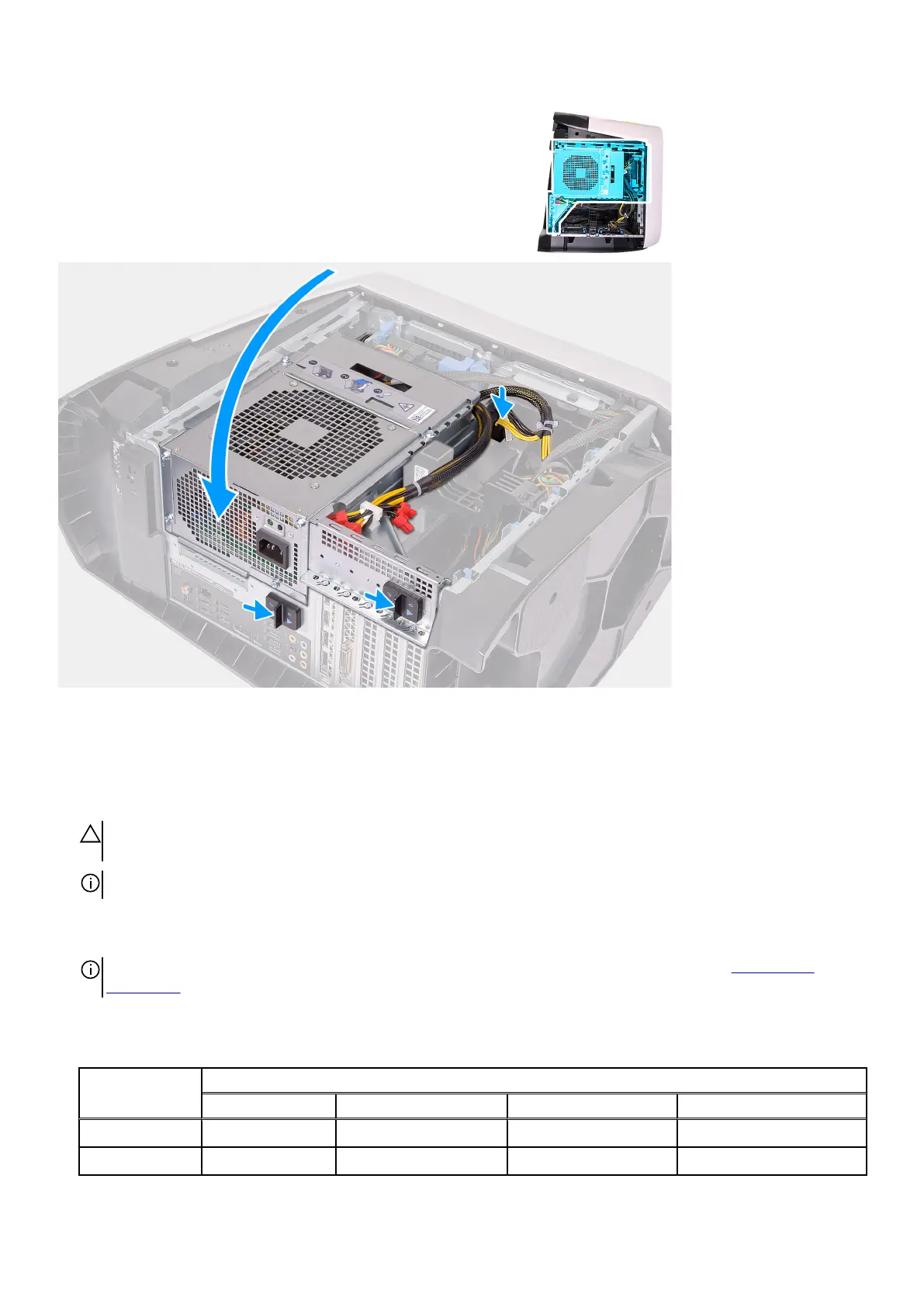
4. Rotate the power-supply unit cage towards the chassis.
5. Slide the power-supply unit cage release latches towards the locked position.
NOTE: Use slots XMM1 and XMM2 if you need to use two memory modules. For more information, see system-board
components.
The following table lists the available memory configuration matrix:
Table 2. Memory configuration matrix
Configuration
Slot
XMM1 XMM2 XMM3 XMM4
8 GB DDR4 8 GB
16 GB DDR4 8 GB 8 GB
43















 To Next Page