22
Using features on the headset
Using features on the headset
Adjusting the volume
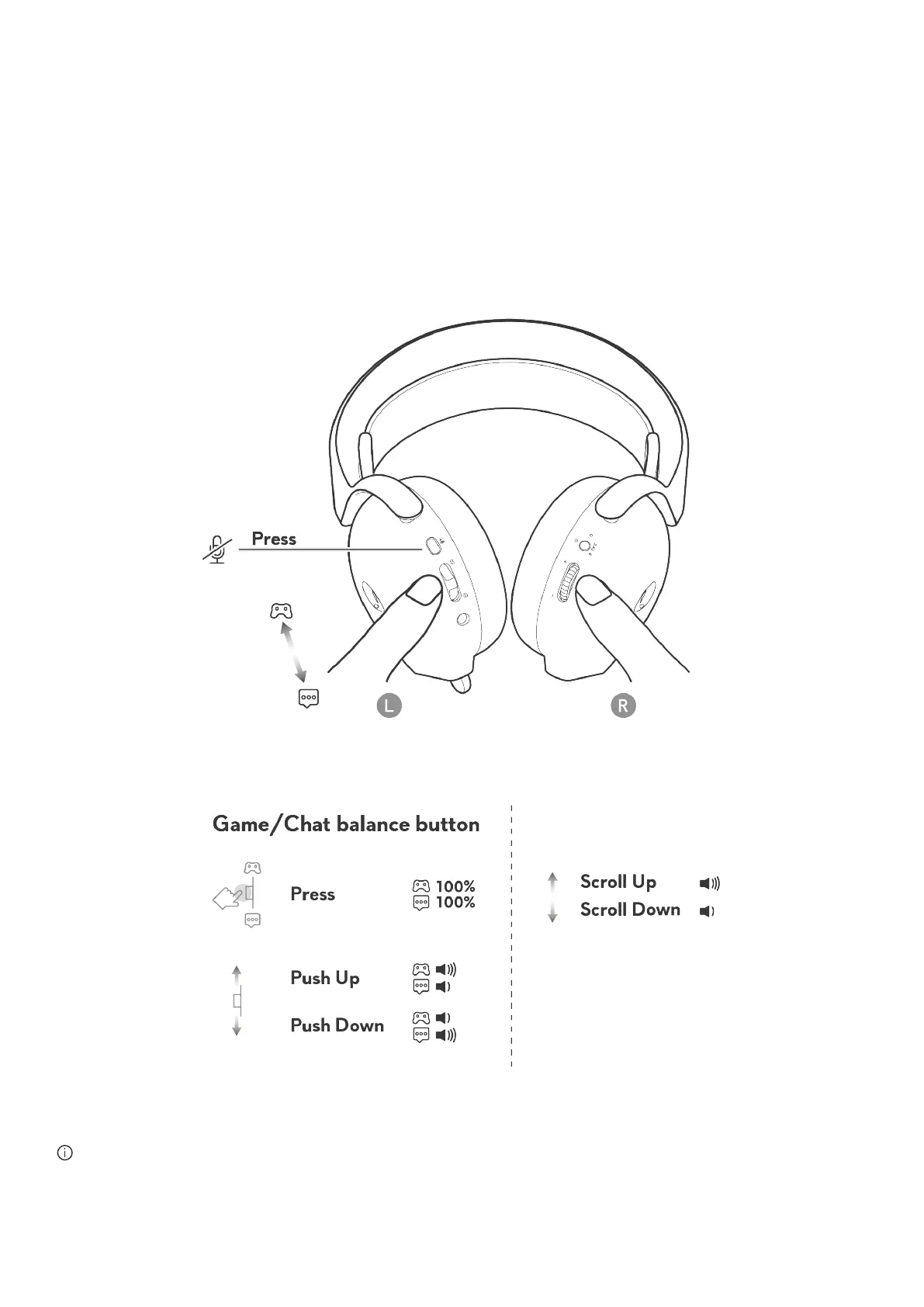
Scroll the volume control wheel to increase or decrease the volume. Scroll up for volume up, scroll down for volume down.
Adjusting Game/Chat balance control
The volume balance of game and chat is 100% for each mode when using the headset for the first time.
• Push up the game chat balance button to increase game volume or decrease chat volume.
• Push down the game chat balance button to increase chat volume or decrease game volume.
• Press the game chat balance button to reset game and chat volume to 100%.
Figure 19. Adjusting volume and control Game/Chat balance
NOTE: We recommend keeping game and chat device volume on Windows at 100%, and adjusting volume via the volume dial
on right ear cup.



 To Next Page