11
Connecting the headset to your device
Connecting the headset to your device
System requirements
• One USB port for USB-C wireless dongle
• One USB port for charging (optional)
• Microsoft Windows 10 or Microsoft Windows 11, 64-bit
• PlayStation®/Xbox/Mobile devices with 3.5 mm audio port
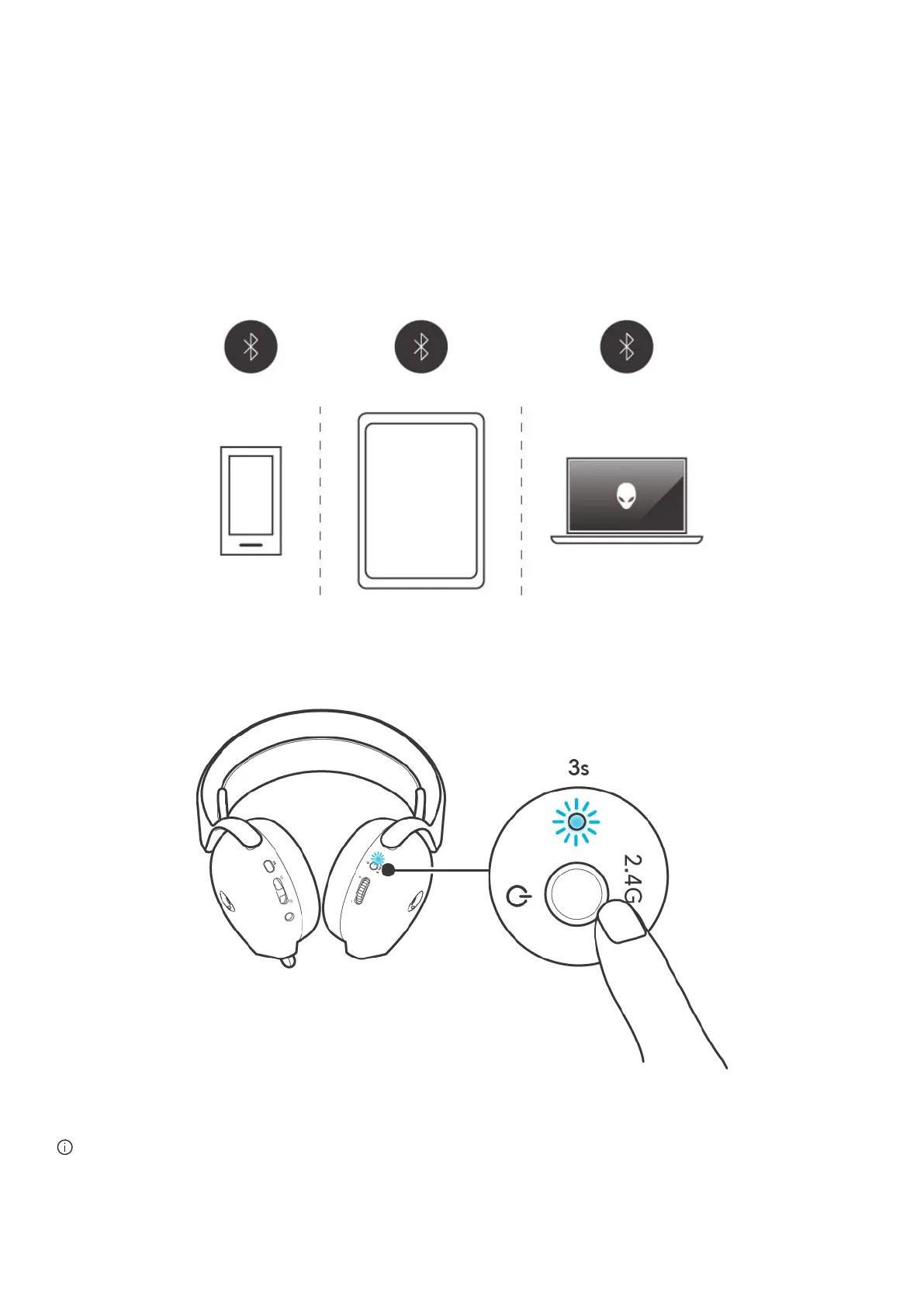
Connecting the headset to your device using Bluetooth
1. Turn on the Bluetooth connection on your device before connecting the headset using Bluetooth.
Figure 6. Turn on the Bluetooth on your device
2. To enter Bluetooth pairing mode, user needs to press and hold power button for 3 seconds from the power off state. You will
hear “Bluetooth pairing” and the Power LED will blinks quickly in blue.
Figure 7. Enter pairing mode on headset
NOTE: You can only enter Bluetooth pairing mode on the headset from a powered-off state.



 To Next Page