EasyManua.ls Logo

Alinco DR-435T - Microphone Functions

Alinco DR-435T
50 pages
Print Icon
To Next Page IconTo Next Page
To Previous Page IconTo Previous Page
Loading...
4.
Part
Name
of
Functions
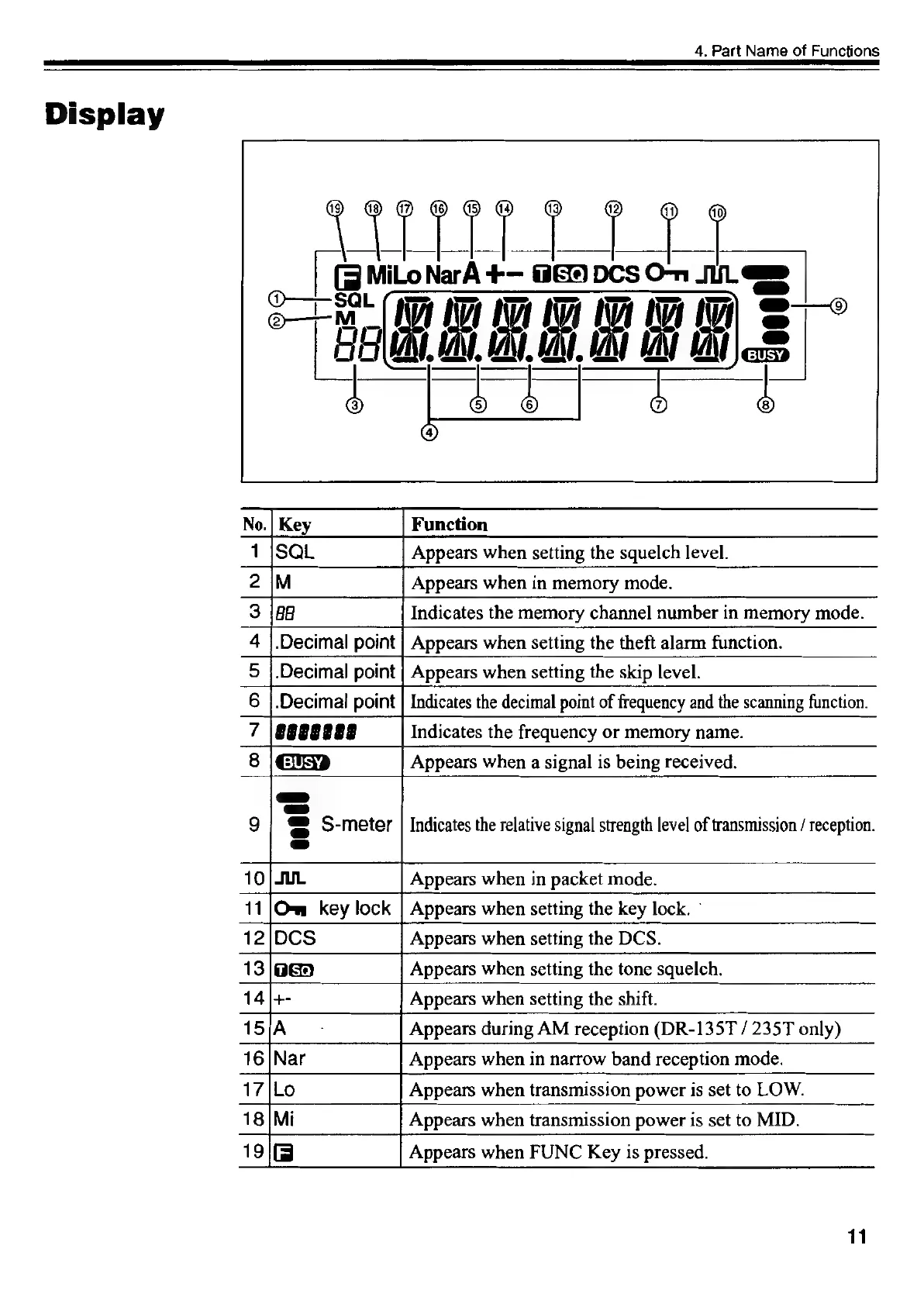
Display
1
Appears
when
setting
the
squelch
level.
2
IM
|
Appears
when
in
memory
mode.
3
Indicates
the
memory
channel
number
in
memory
mode.
4
|.Decimal
point
|
Appears
when
setting
the
theft
alarm
function.
5
|.Decimal
point
|
Appears
when
setting
the
skip
level.
6
|.Decimal
point
|
Indicates
the
decimal
point
of
frequency
and
the
scanning
function.
7
|\egeegege?
Indicates
the
frequency
or
memory
name.
13
/oGa
Appears
when
setting
the
tone
squelch.
14/+-
Appears
when
setting
the
shift.
15
Appears
during
AM
reception
(DR-135T
/
235T
only)
16
Appears
when
in
narrow
band
reception
mode.
17
Appears
when
transmission
power
is
set
to
LOW.
18
Mi
Appears
when
transmission
power
is
set
to
MID.
19
Appears
when
FUNC
Key
is
pressed.
11

Other manuals for Alinco DR-435T

Related product manuals