36 Rockwell Automation Publication 440R-UM013E-EN-P - March 2017
Chapter 4 Configuration
Switch Adjustment
These safety relays have multi-position switches on their front face. Use a small
screwdriver to set the switches to the desired setting.
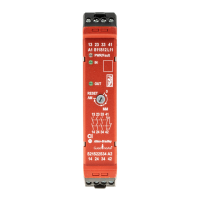
Figure 25 - Configuration Switch Adjustment
CI and SI safety relays have a three-position Reset switch. This switch
determines whether the relay uses a monitored manual reset or an automatic/
manual switch (see Definitions
on page 7).
Table 5 - CI and SI Logic Switch
DI and DIS Safety Relays
The DI and DIS safety relays have a 10-position switch and use only the first
nine positions. As shown in Tab l e 6
, this switch configures the relay for its reset
and logic functionality.
Table 6 - DI and DIS Logic Switch
Example 1: Logic setting 1 or 5: If any of the inputs (IN1, IN2, or L12) are
ON, then the safety relay refers to the reset logic.
Example 2: Logic setting 4 or 8: If all three of the inputs (IN1, IN2, and L12)
are ON, then the safety relay refers to the reset logic.
TIP Make note of the mechanical stop location.
IMPORTANT Adjust the switches gently and do not turn past the mechanical stops.
Position Function
0Start configuration
MM Monitored manual reset
AM Automatic/manual reset
Position Reset Function
0 Not applicable Start configuration
1
Monitored Manual
(IN1 OR IN2) OR L12
2 (IN1 AND IN2) OR L12
3 (IN1 OR IN2) AND L12
4 (IN1 AND IN2) AND L12
5
Automatic/Manual
(IN1 OR IN2) OR L12
6 (IN1 AND IN2) OR L12
7 (IN1 OR IN2) AND L12
8 (IN1 AND IN2) AND L12
Mechanical
Stops
Screwdriver
Slot


 To Next Page
 Loading...