Rockwell Automation Publication 440R-UM013E-EN-P - March 2017 83
Troubleshooting Chapter 11
Auxiliary Output Issues
Measure the Auxiliary Output Terminal Voltage
When OUT status indicator is OFF, my PLC does not know that the relay is
OFF or my auxiliary status indicator does not turn ON.
Confirm that voltage is present at the relay terminals and the load. Figure 82
shows an example of the measurement points for one output channel (41/42).
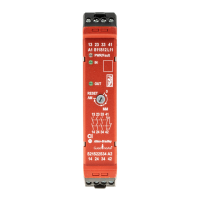
Figure 82 - Measure Voltage Aux Output Terminals
Table 18 - Auxiliary Output Issues
State Symptom Action
The OUT status indicator is OFF.
My PLC does not know that the relay is OFF or my auxiliary status
indicator does not turn ON.
See Measure the Auxiliary Output Terminal Voltage
on page 83.
The voltage at terminal 41 is the same as the supply voltage. However,
terminal 42 measures 0V.
See Measure the Contact Resistance
on page 84.
Terminal Y32 does not turn ON. See Check the Y32 Output
on page 84.
Terminal X32 does not turn ON. See Check the X32 Output
on page 85.
The safety outputs are OFF.
The Y32 output must be ON. This is true for both faulted and running
states.
See Check the Y32 Output
on page 84.
TIP For more information on auxiliary outputs, see Auxiliary Output on page 29.
Step Description
1 The voltage at 41 must be the same as the supply voltage. If not, check for an open circuit (broken
wire), blown fuse, or tripped circuit breaker.
2 The voltage at 42 must be the same as the supply voltage. If not, the positive-guided relay inside GSR
relay is not closing. Measure the contact resistance; see Figure 83
.
3 The voltage at the PLC input must be the same as the supply voltage. If not, check for an open circuit
(broken wire), a bad contact at a terminal connection), or go to step 4.
4 Place the black test probe on the PLC common terminal. Verify that the common of the PLC is
connected to the common of the voltage supply.
5 The aux output voltage at one side of the auxiliary status indicator must be the same as the supply
voltage. If not, check for an open circuit (broken wire) between terminal 14 and aux status indicator.
6 Verify that the aux status indicator is connected to the voltage supply common. The aux status
indicator must be replaced.
42
+Vs
41
PLC
Input
Volts
DMM
+Vsupply
0V
1
2
3
4
5
Com
OUT
6


 To Next Page
 Loading...