84 Rockwell Automation Publication 440R-UM013E-EN-P - March 2017
Chapter 11 Troubleshooting
Measure the Contact Resistance
The OUT status indicator is OFF, and the voltage at terminal 41 is the same as
the supply voltage. However, terminal 42 measures 0V.
Measure the contact resistance to confirm that the relay is not functioning
properly. As shown in Figure 83
, remove the power wires to terminal 41 and set
the digital multimeter to ohms. Be sure that the OUT status indicator is OFF.
The contact resistance must be less than 1 ohm. If it is not, then the internal
positive-guided relay is not functioning properly, and the GSR relay must be
replaced.
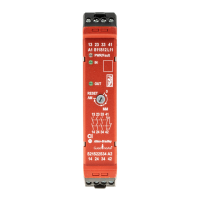
Figure 83 - Measure Contact Resistance of Aux Output Terminals
Check the Y32 Output
When OUT status indicator is OFF, terminal Y32 does not turn ON. Or,
when the safety outputs are OFF, the Y32 output must be ON. This is true for
both faulted and running states.
Use a digital multimeter to measure the voltage at Y32 (point 1 in Figure 84
).
The voltage must be around 23V DC. Figure 84
shows a typical schematic for
the aux output - the aux signal can go to a PLC input or to an indicator on a
control panel. If it is 23V, then check the remaining points (2…5). If Y32
measures zero volts, then the relay must be replaced.
SHOCK HAZARD: Turn off power before power connection is removed if
+Vsupply is greater than 50V.
42
<1
41
OUT
Ohms
DMM
+Vsupply
0V
PLC
Input
Com
SHOCK HAZARD: Remove
the power connections to
terminal 41 before
measuring the contact
resistance.


 To Next Page
 Loading...