Hardware Reference 45
C613-03092-00 REV J
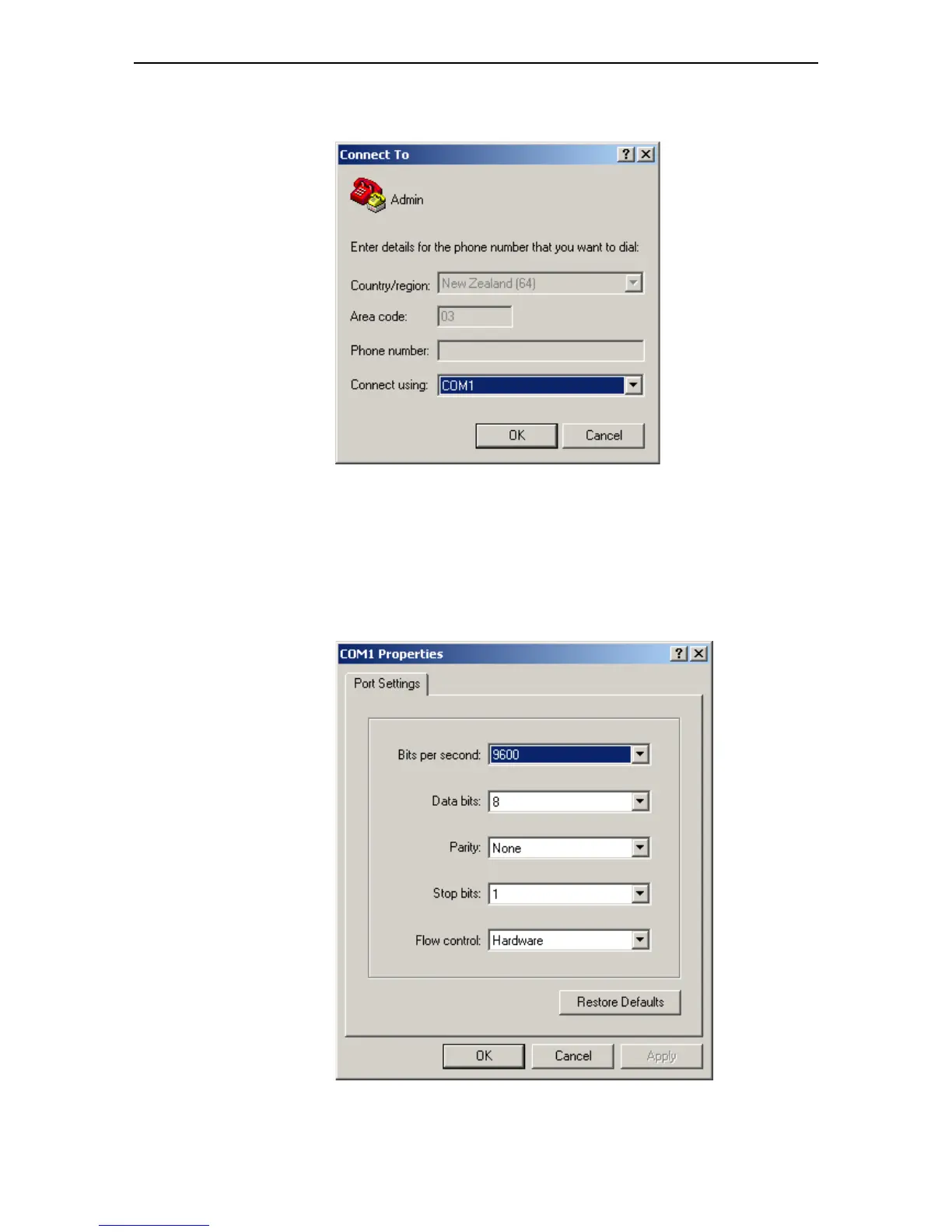
3. In the “Connect using” field on the Connect To dialog box, select the COM
port on the PC used to connect to the switch. and click the OK button.
4. In the COMn Properties dialog box, set the port to 9600 bits per second, 8
data bits, no parity, and 1 stop bit.
• For switches running the AlliedWare
®
operating system, set the flow
control to Hardware.
• For switches running the AlliedWare Plus™ operating system, set the
flow control to None.
Click the OK button.



 To Next Page
 Loading...






