46 x900 Series Switch and SwitchBlade
®
x908
C613-03092-00 REV J
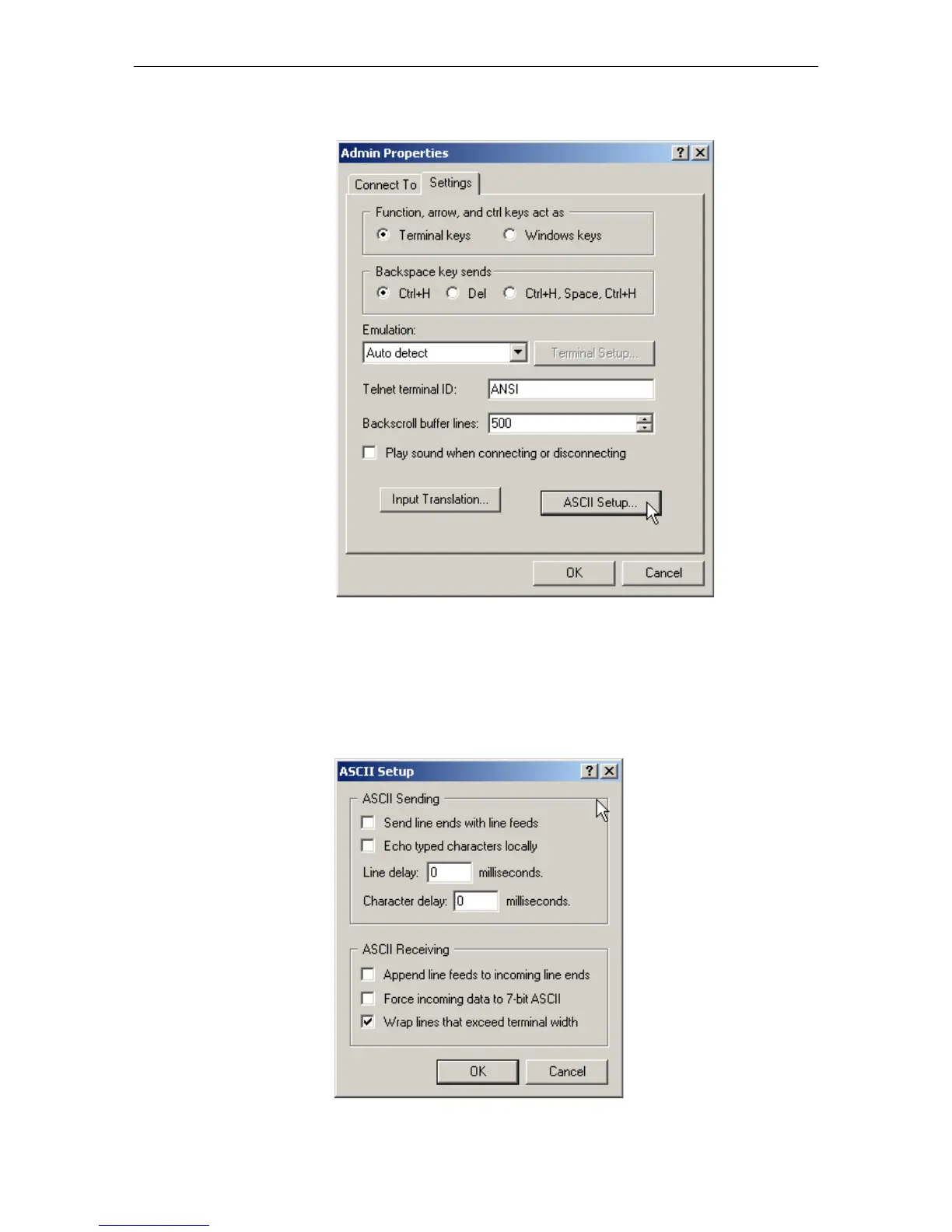
5. From the main HyperTerminal window, select Properties from the File
menu. Click the Settings tab, and set the Properties dialog box as follows.
6. Click ASCII Setup to display the ASCII Setup dialog box, and ensure the
following options are not selected:
• Echo typed characters locally
• Append line feeds to incoming line ends
Set other parameters as necessary and click the OK buttons on both dialog
boxes to close them.



 To Next Page
 Loading...






