Wireless Router User Guide
Checking TCP/IP Settings - Windows 9x/ME:
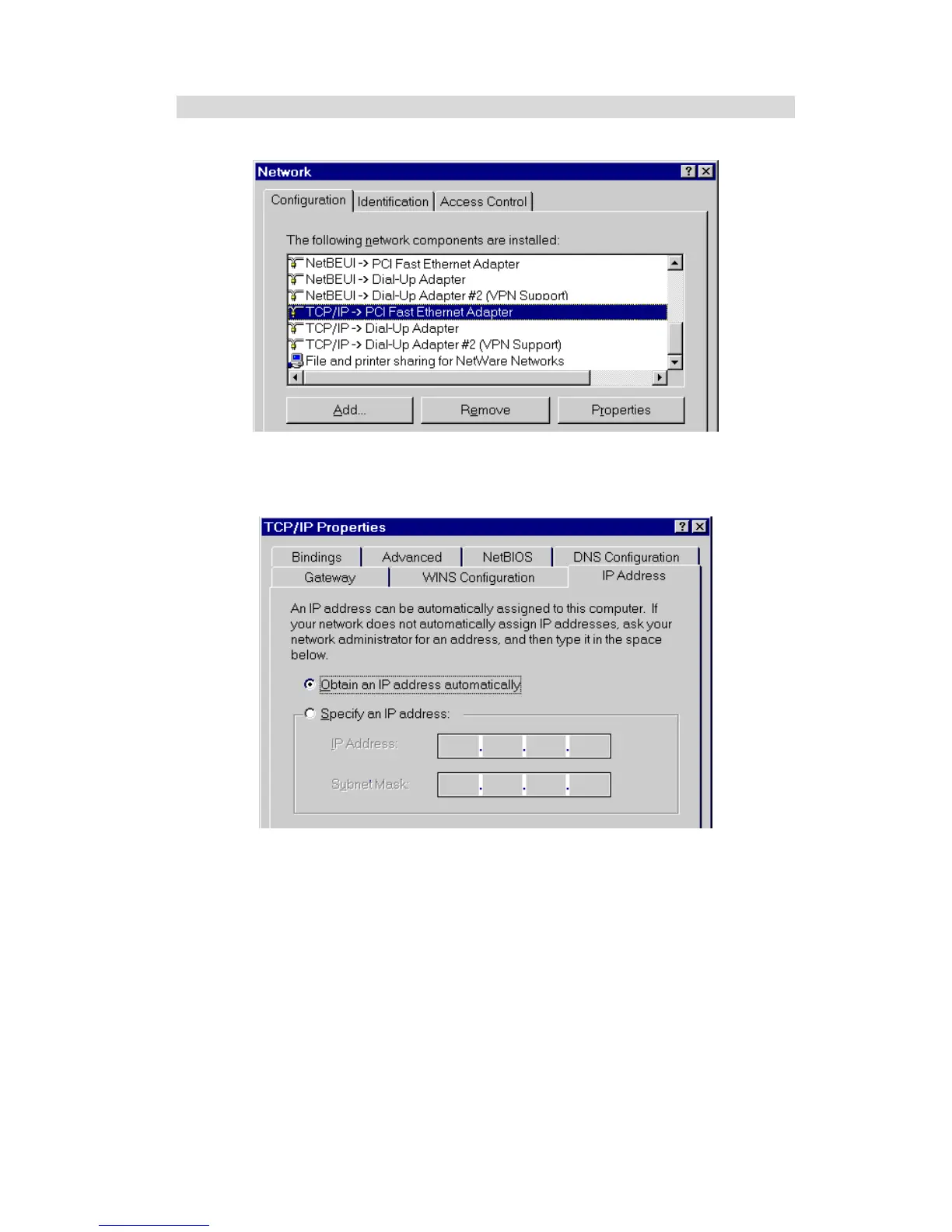
1. Select Control Panel - Network. You should see a screen like the following:
Figure 11: Network Configuration
2. Select the TCP/IP protocol for your network card.
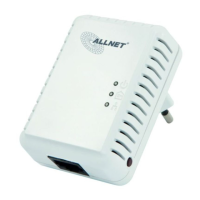
3. Click on the Properties button. You should then see a screen like the following.
Figure 12: IP Address (Win 95)
Ensure your TCP/IP settings are correct, as follows:
Using DHCP
To use DHCP, select the radio button Obtain an IP Address automatically. This is the default
Windows setting. Using this is recommended. By default, the Wireless Router will act as a
DHCP Server.
Restart your PC to ensure it obtains an IP Address from the Wireless Router.
Using "Specify an IP Address"
If your PC is already configured, check with your network administrator before making the
following changes:
22



 To Next Page