Advanced Features
Upgrade Firmware
The firmware (software) in the Wireless Router can be upgraded using your Web Browser.
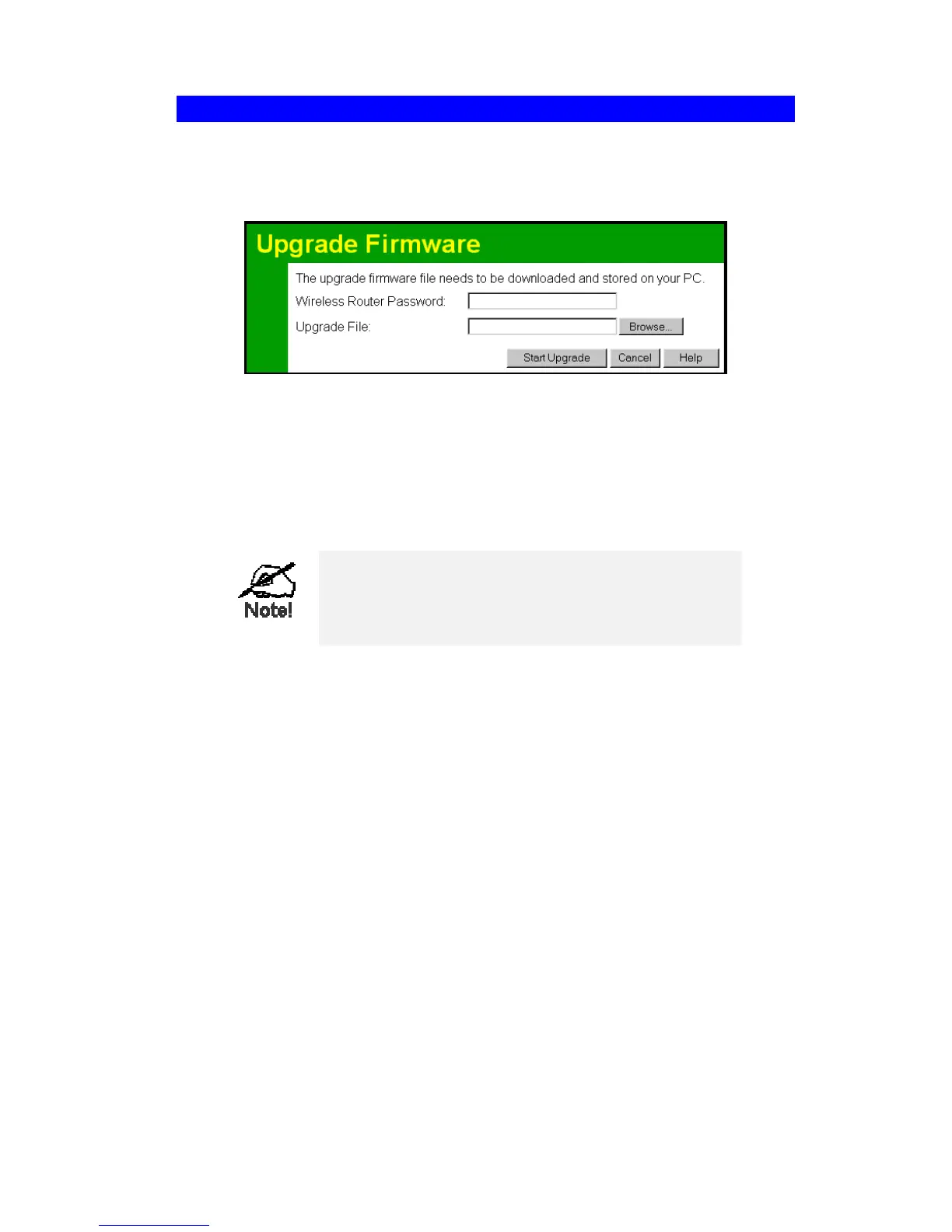
You must first download the upgrade file, then select Upgrade on the Advanced menu. You
will see a screen like the following.
Figure 41: Upgrade Firmware Screen
To perform the Firmware Upgrade:
1. Click the "Browse" button and navigate to the location of the upgrade file.
2. Select the upgrade file. It's name will appear in the Upgrade File field.
3. Click the "Start Upgrade" button to commence the firmware upgrade.
The Wireless Router is unavailable during the up-
grade process, and must restart when the upgrade is
completed. Any connections to or through the Wire-
less Router will be lost.
61



 To Next Page