Wireless Router User Guide
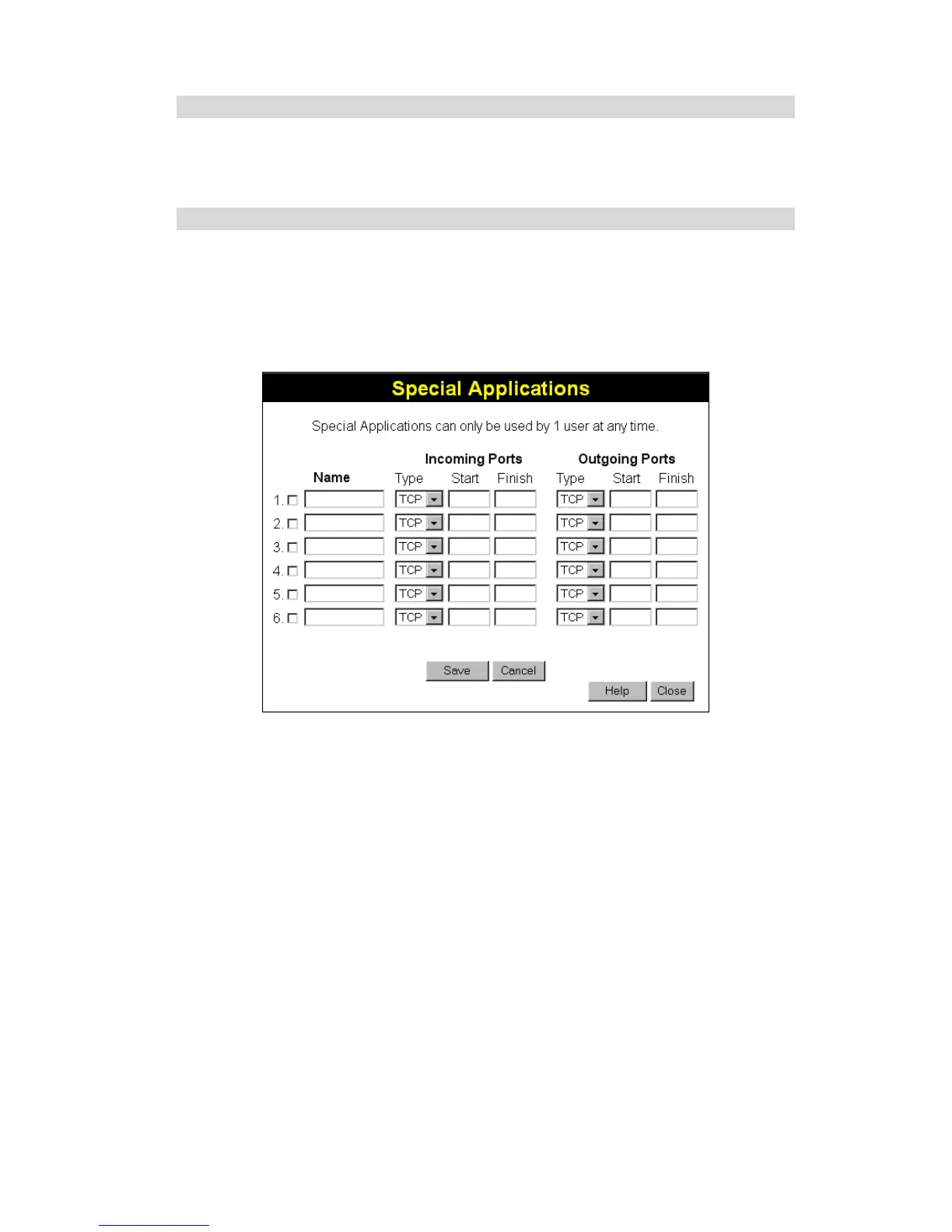
Special Applications
If you use Internet applications which use non-standard connections or port numbers, you may
find that they do not function correctly because they are blocked by the Wireless Router's
firewall. In this case, you can define the application as a "Special Application".
Special Applications Screen
This screen can be reached by clicking the Special Applications button on the Internet screen.
You can then define your Special Applications. You will need detailed information about the
application; this is normally available from the supplier of the application.
Also, note that the terms "Incoming" and "Outgoing" on this screen refer to traffic from the
client (PC) viewpoint
Figure 31: Special Applications Screen
46



 To Next Page