Advanced Administration
PC Database (Admin)
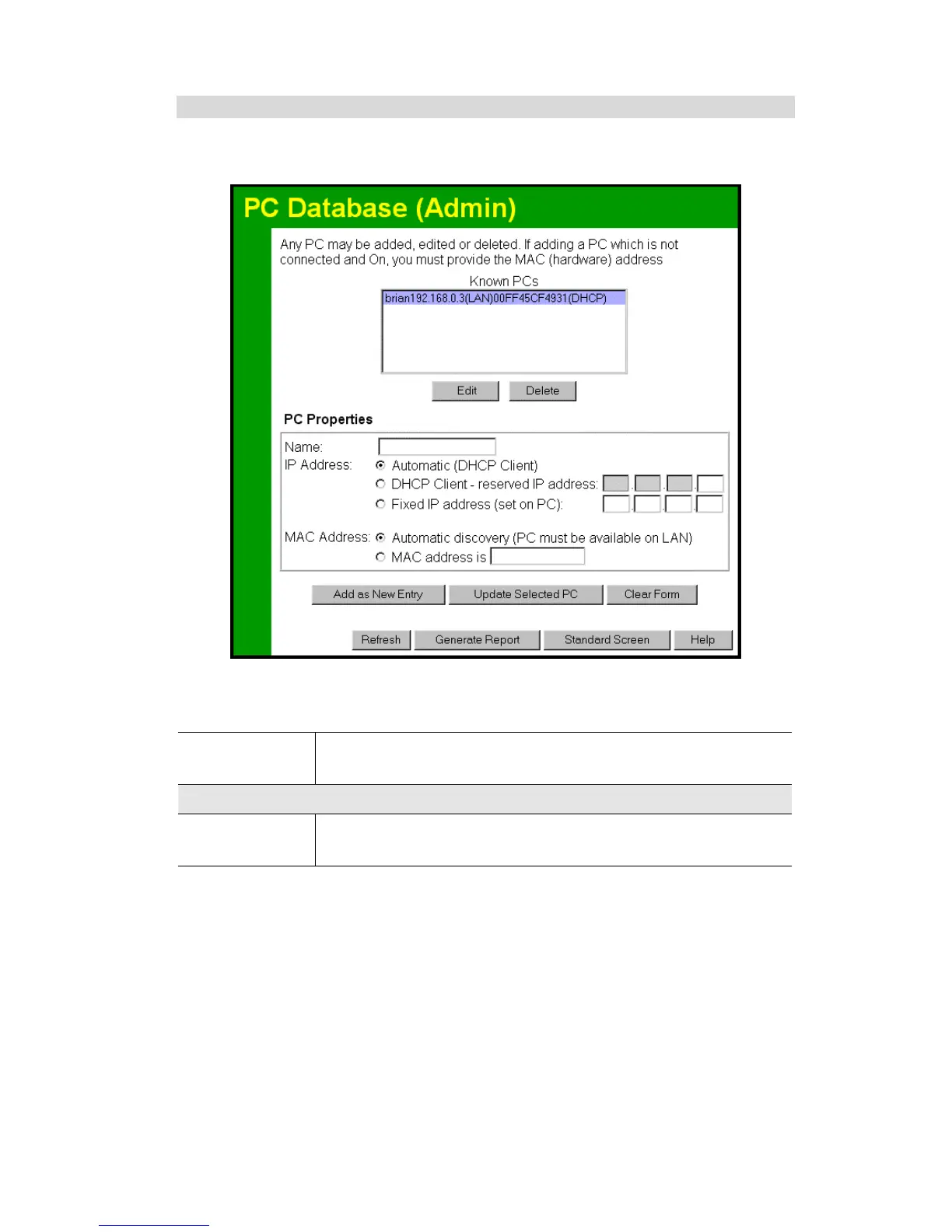
This screen is displayed if the "Advanced Administration" button on the PC Database is
clicked. It provides more control than the standard PC Database screen.
Figure 43: PC Database (Admin)
Data - PC Database ( Admin) Screen
Known PCs
This lists all current entries. Data displayed is name (IP Address) type.
The "type" indicates whether the PC is connected to the LAN.
PC Properties
Name
If adding a new PC to the list, enter its name here. It is best if this
matches the PC's "hostname".
65



 To Next Page