10 Hardware Installation and Maintenance
2. Disconnect the keyboard from the computer keyboard port and
determine if it is a 5-pin (larger) or Mini-DIN 6-pin (smaller)
connector.
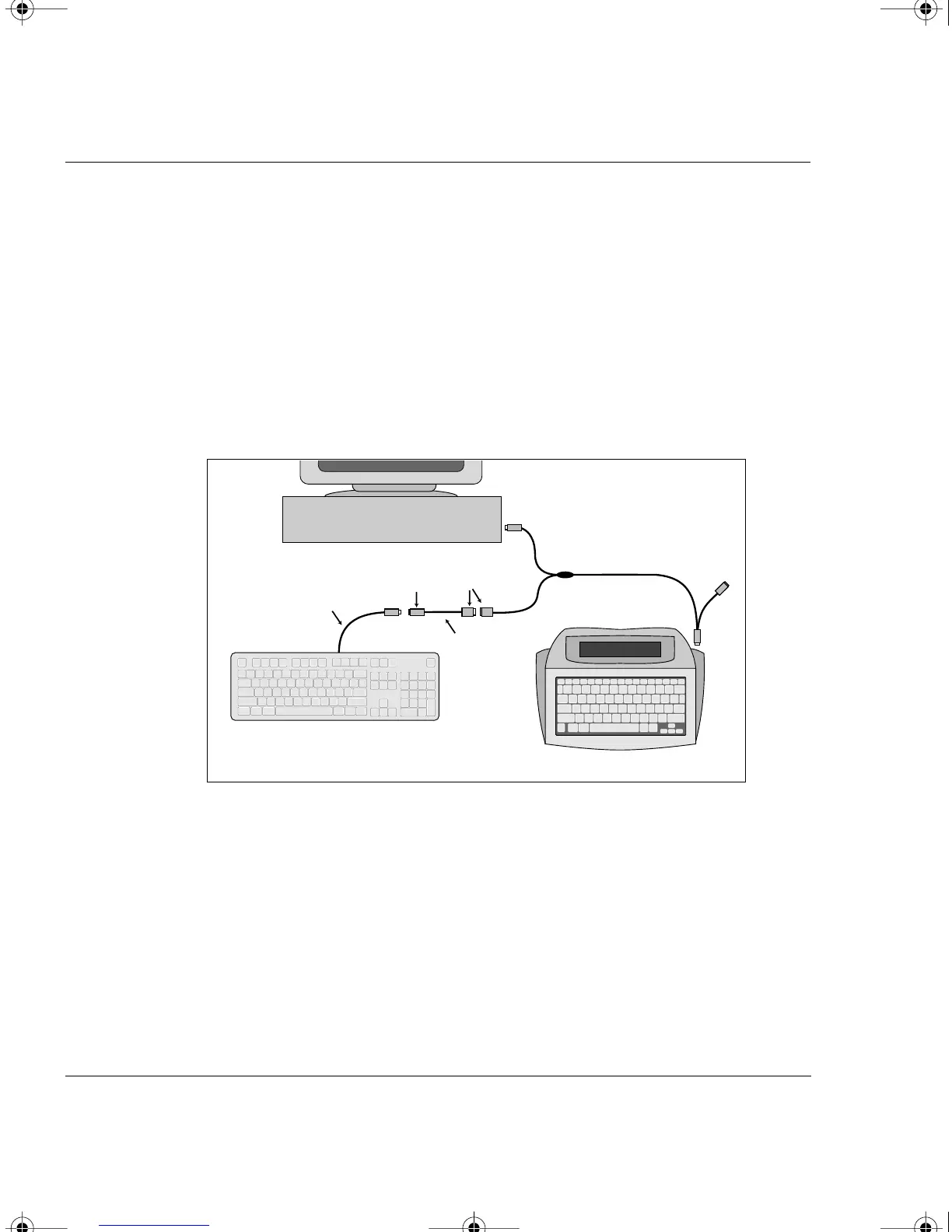
a. If the keyboard has a Mini-DIN 6-pin connector…
connect the orange end of the PC Y cable, labeled “Connect to
PC computer port” into the keyboard port on the back of your
computer. Next, connect the computer keyboard cable into the
orange end of the 8-inch adapter cable. Then connect the purple
end of the adapter cable to the purple end of the PC Y cable (see
diagram below).
b. If it is a 5-pin connector…
connect the orange end of the adapter cable to the orange end of
the PC Y cable. Next, connect the purple end of the PC adapter
cable into the keyboard port on the back of your computer. Then
AlphaSmart
PC Keyboard
PC Keyboard
Cable
Grey
Orange
PC Y Cable
PC
Orange
Blue
Purple
Adapter
Cable
Installation of the PC Y cable when the keyboard has a Mini-Din 6-pin connector
AS3000UG.book Page 10 Tuesday, June 25, 2002 12:19 PM



 To Next Page