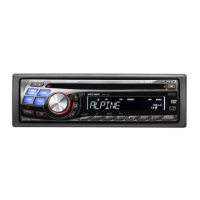
Need help?
Do you have a question about the Alpine 9861 - DVA - DVD Player and is the answer not in the manual?
Important safety instructions and warnings for product use, covering general precautions and specific warnings.
Guide to initial setup, power management, panel operation, volume adjustment, and time setting.
Instructions for listening to radio, storing presets, and tuning stations.
Using search functions and managing HD Radio signal reception.
Details on playing CDs, MP3s, and WMAs, including search and playback modes.
Using shuffle, repeat, and random playback modes for discs.
Methods for searching content and displaying text information for MP3/WMA files.
Procedures for playing DVDs and Video CDs, including basic playback and controls.
Using advanced playback modes, search functions, and frame-by-frame controls for discs.
Options for changing audio languages, subtitles, camera angles, and viewing disc status.
Adjusting fundamental audio parameters like bass, treble, balance, fader, and defeat.
Customizing bass frequencies and applying the BBE sound enhancement mode.
Adjusting treble frequency emphasis and level for tonal preference.
Understanding and displaying text information from discs and indicators.
Customizing display appearance with blackout mode and wallpaper settings.
Introduction to the Setup menu for configuring various unit settings.
Configuring sound (subwoofer) and visual (dimmer, scroll) preferences.
Settings for connecting and configuring external devices like MP3 changers, AUX inputs.
Detailed setup options for DVD playback, audio output, and custom playback modes.
Instructions for receiving SAT radio channels and checking the unit's ID number.
Managing radio tuning, searching channels, and displaying weather/traffic information.
Introduction to the adjustment procedures for an external audio processor.
Setting up speakers and configuring MX (Media Xpander) modes.
Adjusting crossover frequencies, time correction, and graphic/parametric equalizers.
Configuring bass compressor, speaker settings, and surround sound modes like Pro Logic II.
Connecting and searching for songs on an iPod, including playback and display options.
Controlling CD changers, playing MP3 files, and managing multi-changer selections.
Guide to using the remote control and replacing its battery.
Solutions for common operational problems, error messages, and troubleshooting tips.
Step-by-step guide for installing the unit and related warnings.
Diagrams and instructions for making all necessary electrical and audio connections.
Details on product coverage, warranty terms, exclusions, and service procedures.
 General
| DVD Playback | Yes |
|---|---|
| Bluetooth | No |
| HDMI Input | No |
| Form Factor | Single DIN |
| Radio Tuner | AM/FM |
| Remote Control | Yes |
| Display Type | LCD |
| Audio Formats Supported | MP3, WMA, AAC |
| Video Formats Supported | DivX |
| Media Type | DVD, CD |
| Disc Compatibility | DVD, DVD-R, DVD-RW, CD, CD-R, CD-RW |

 To Next Page