English EspañolFrançais
17
Setting the Unison Link
(Angle Adjustment)
When the Unison Link (angle adjust-
ment) is ON, the angle is adjusted in
combination with the linked head unit.
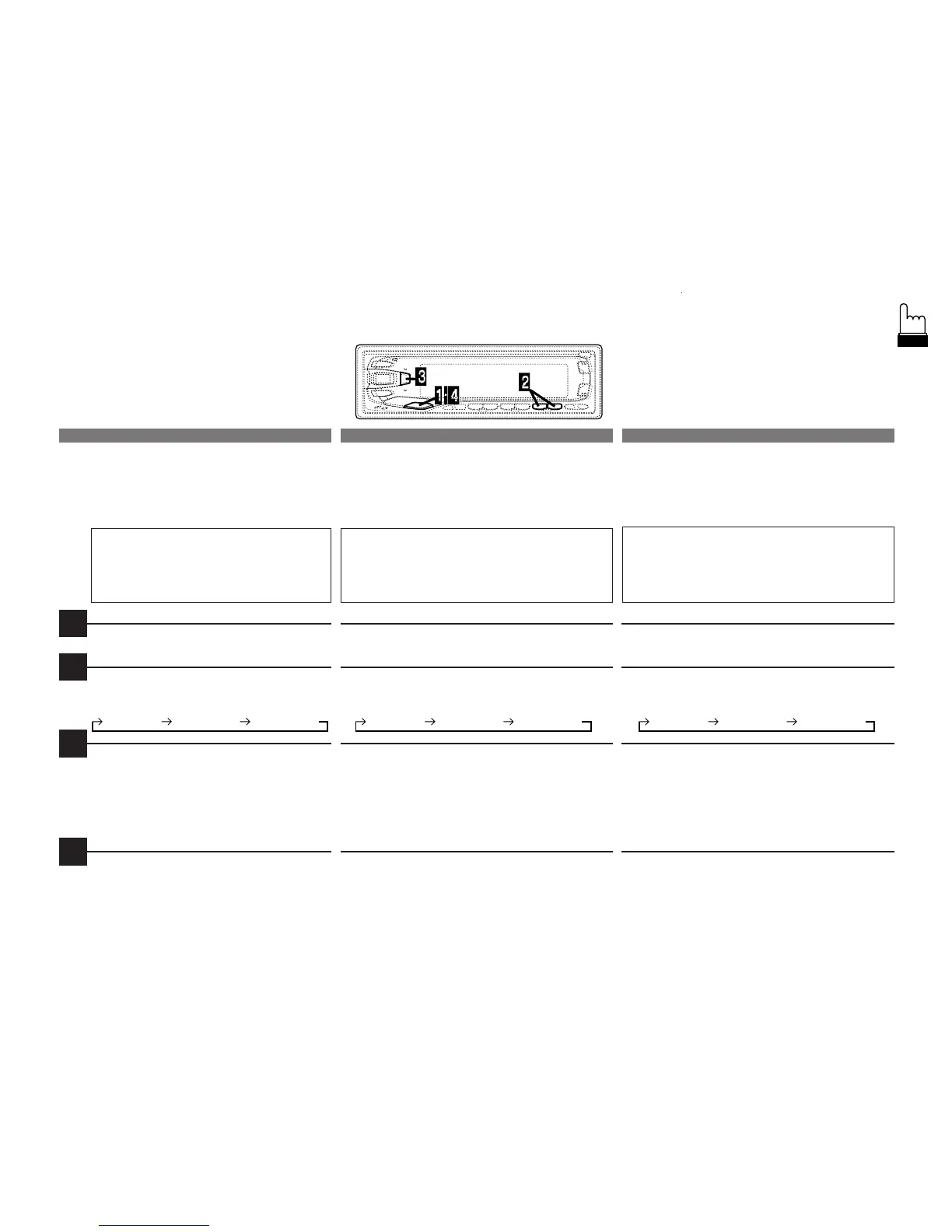
Press and hold the DISP button for at
least 3 seconds.
Press the / or - button to select the
UNISON LINK mode.
Press the DSP button to toggle the mode
between UNISON LINK OFF and
UNISON LINK ON.
Note: The initial setting at the factory is
UNISON LINK OFF.
Press the DISP buton to activate the
normal mode.
Réglage du couplage de
synchronisation (réglage
de l’angle)
Lorsque l’Unison Link (le lien de
synchronisation - réglage d’angle) est allumé,
l’angle est réglé en combinaison avec
l’appareil d'amont relié.
Appuyez en continu sur la touche DISP
pendant au moins 3 secondes.
Appuyez sur la touche / ou - pour sélection-
ner le mode UNISON LINK.
Appuyez sur la touche DSP pour faire basculer
le mode entre UNISON LINK OFF et UNISON
LINK ON.
Remarque: Le réglage initial d'usine est
UNISON LINK OFF.
Appuyez sur la touche DISP pour activer le
mode normal.
Ajuste del enlace unísono
(ajuste de ángulo)
Cuando el Unison Link (ajuste de ángulo) está
activado, el ángulo se ajusta en combinación
con la unidad central acoplada.
Mantenga presionado el botón DISP durante 3
segundos por lo menos.
Presione el botón / o - para seleccionar el
modo UNISON LINK.
Presione el botón DSP para hacer cambiar el
modo entre UNISON LINK OFF y UNISON
LINK ON.
Nota: El ajuste inicial de fábrica es UNISON
LINK OFF.
Presione el botón DISP para volver al modo
normal.
1
2
3
4
DISP CNT
UNISONLINK
CONTRAST
DISP CNT
UNISONLINK
CONTRAST


 To Next Page