102
Equalizer Operation
English
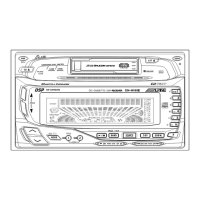
Adjusting the Equalizer
Settings
You can modify the Equalizer settings to create
a response curve more appealing to your
personal taste.
Select the equalizer characteristic to adjust.
See Equalizer Presets (page 100).
Press and hold the DSP button for at least 2
seconds within 10 seconds of Step 1 .
Press either the c DN button or the UP f
button within 10 seconds of Step 2 and flash
the frequency band to adjust.
While the frequency band is flashing, press
either the
9
DN button or the UP
8
button to
adjust to the desired level.
To adjust another frequency band, repeat the
above procedure.
1
324
2
3
4
-
-
-
-
-
-
-
-
-
-
-



 To Next Page