96
Equalizer Operation
English
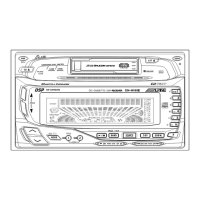
DSP Surround Presets
The CDA-W550 employs DSP (Digital Signal
Processing) to duplicate mathematically various
listening environments. Six typical surround
settings are provided for a variety of musical
source material as follows.
Press the DSP button and select the SUR
mode.
The mode will change every time the button is
pressed.
Press either the
9
DN button or the UP
8
button within 10 seconds of Step 1 .
• The surround mode indicator will change
every time the button is pressed for a
selection of the desired mode.
• There are 6 preset surround modes to
choose from: NORMAL, STADIUM, LIVE,
DANCE, CHURCH and HALL.
Note: The sample display will differ with the
actual display.
1
2
Surround Operation
12
(HALL)
(NORMAL) (STADIUM) (LIVE)
(CHURCH) (DANCE)
NORMAL (Flat)
Surround mode will not be
active.
STADIUM
An outdoor stadium effect will
be created.
LIVE
A small concert hall effect will be
created using little reverberation.
DANCE
A dance floor effect is created
using moderate reverberation.
CHURCH
A church effect of high ceiling
with heavy reverberation is
created.
HALL
A large concert hall effect is
created using heavy reverbera-
tion.
DANCE
DANCE
CHURCH
CHURCH



 To Next Page